
50,000+ QR scans in 15 weeks, at a check-in so fast it backed up security.
Stadium workers used to line up to sign a paper sheet. In 2022 we gave every pro a code that a captain scans in about 7 seconds, against 15 to 20 to look someone up, and kept the one thing paper got right: a person at the door. Here's how we got there, and the decisions that made it work.
What happened.
QR launched on June 16, 2022, on every shift with a captain. By our clock-in review on September 27, it had passed 50,000 scans. It was the fastest supervised method, it needed the fewest adjustments, and its time-theft rate ran near zero.
QR ran only on shifts with captains, so read these as what it did where we used it.
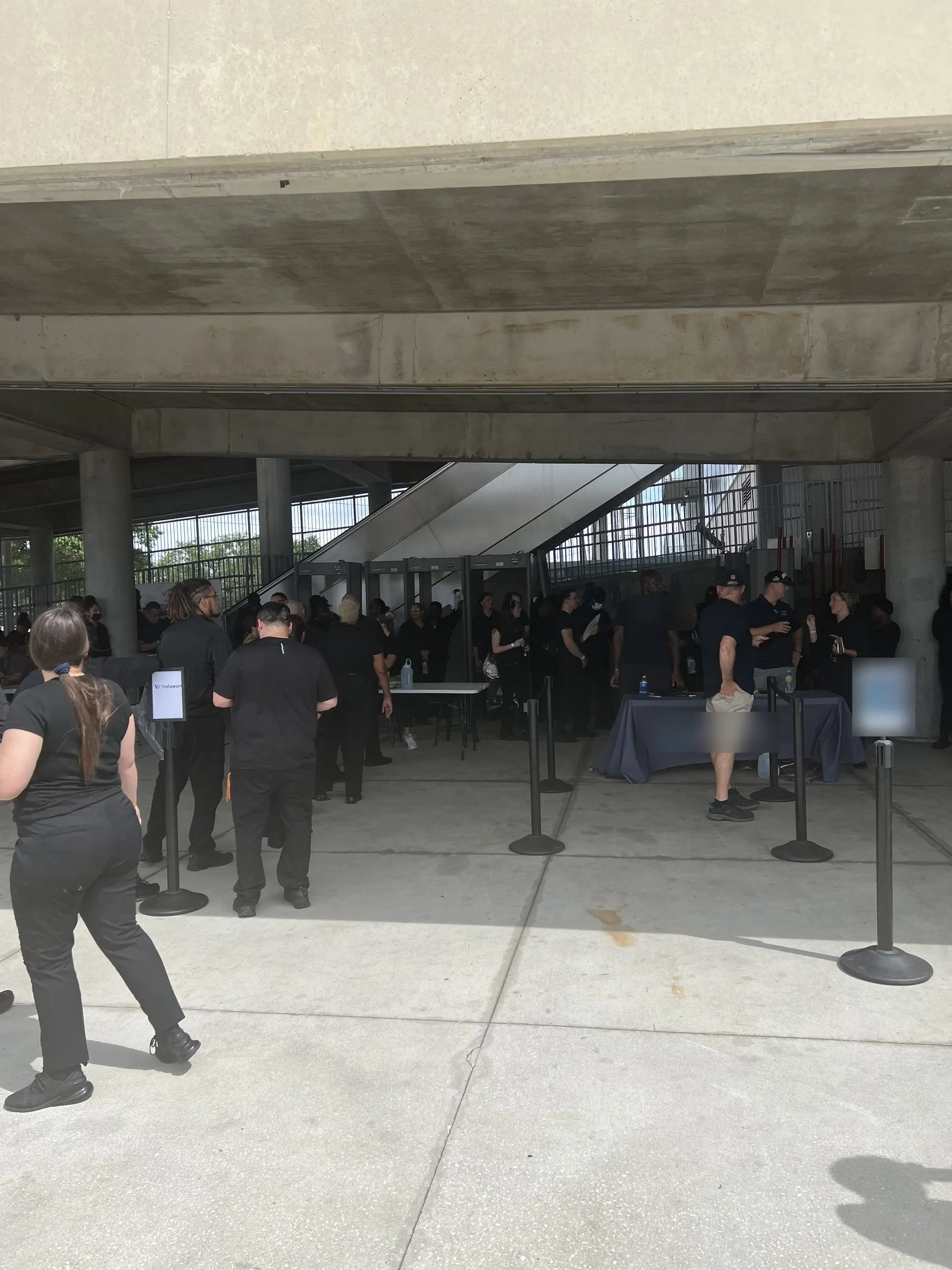
The line we set out to shorten: workers waiting at stadium check-in tables. A competing agency's name is blurred.
Paper was still the most trusted timesheet in the business.
That was the awkward fact in our own review. Instawork was a phone-first marketplace, and when money was on the line, businesses still trusted a person with a clipboard.
Paper works for a reason. Someone looks at you, sees you're there, and writes it down. They also see whether you're dressed for the job and fit to work. Our four-digit codes were quick, but a code can go on a whiteboard for anyone to read, and nobody has to look at you at all.
Our notes from October 2021 were blunt: some fraud, lots of tickets, and our best pros deserving the benefit of the doubt. Timesheet complaints were also getting in the way of something bigger, a future where partners prepaid.
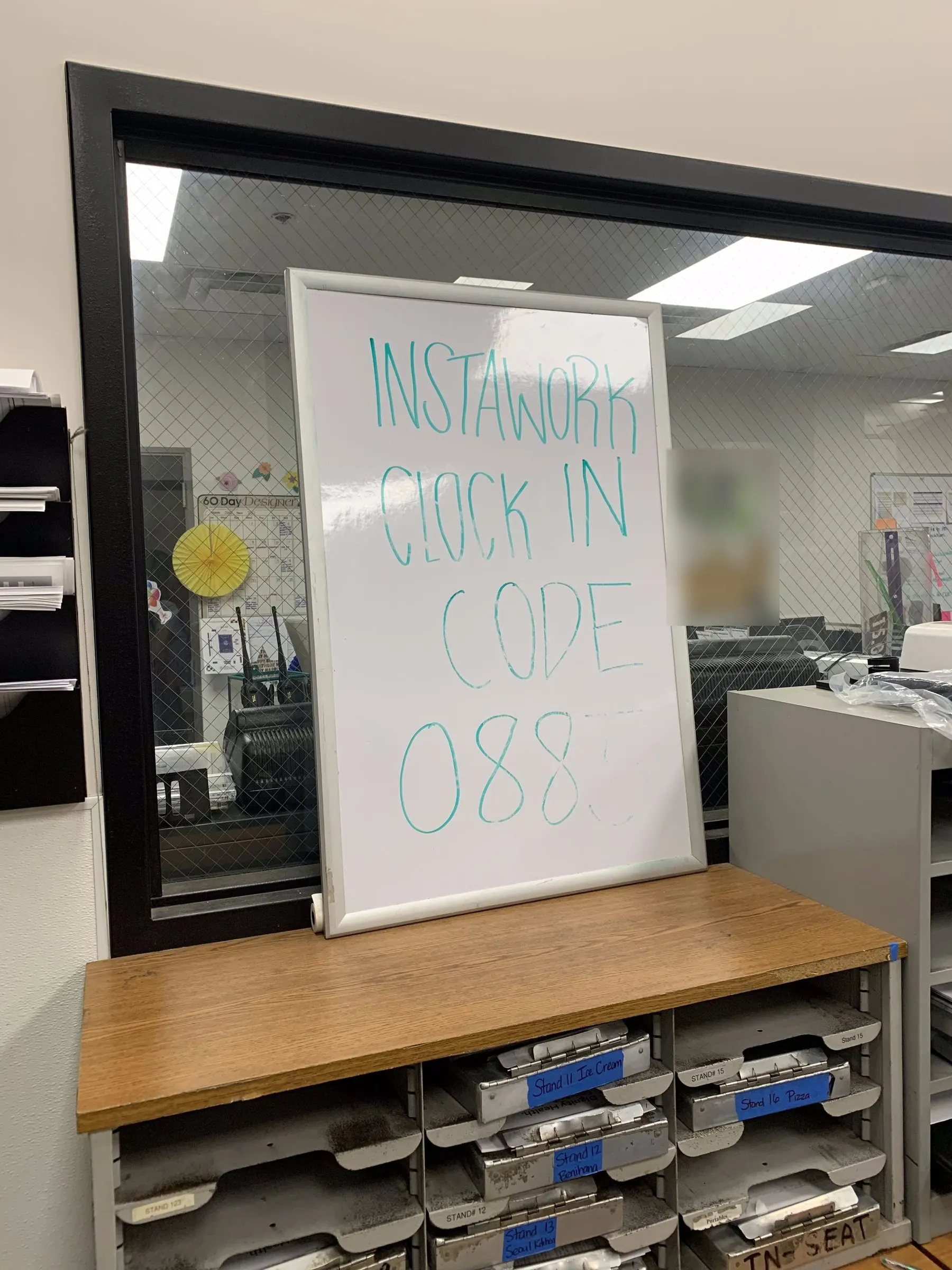
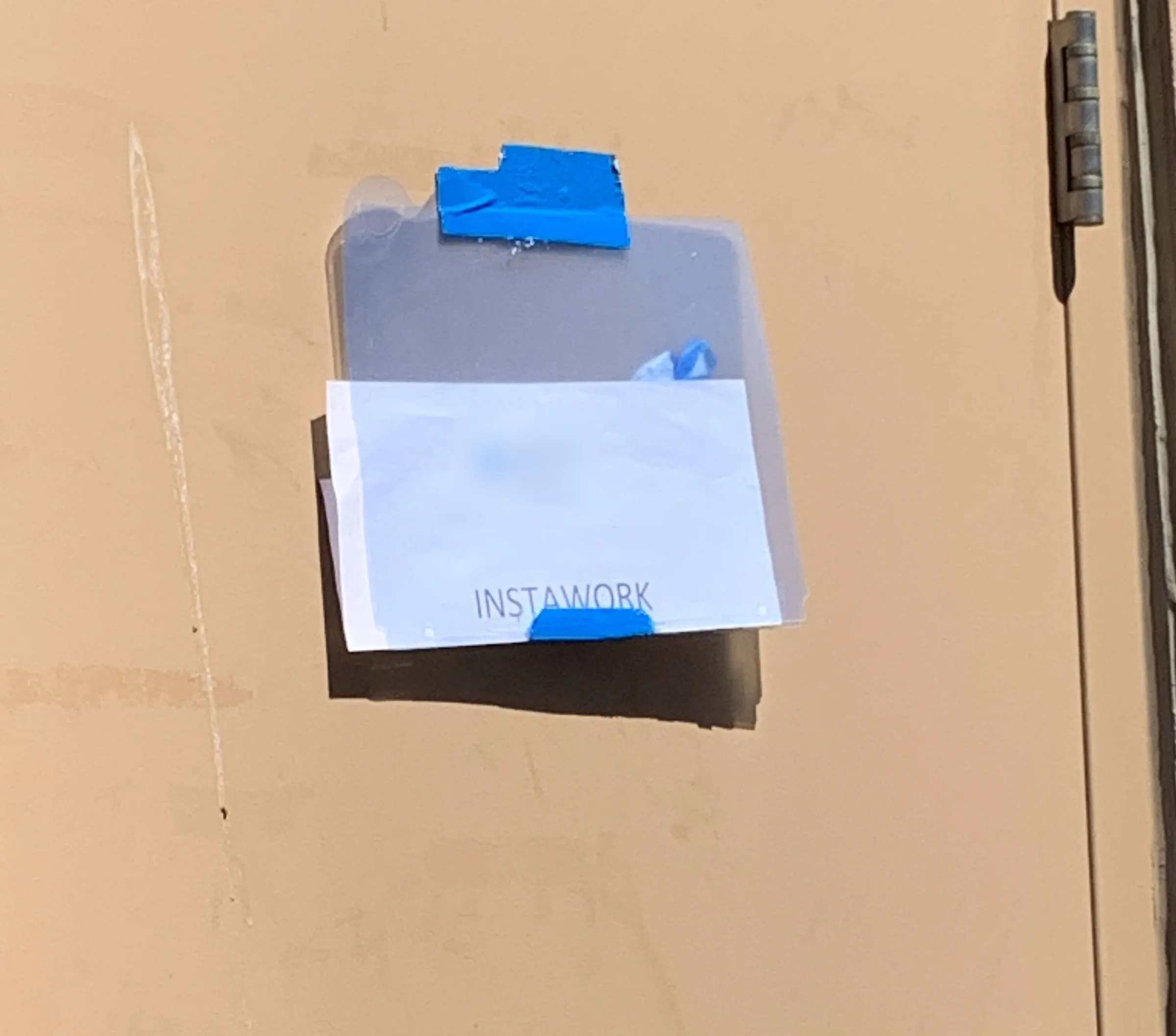
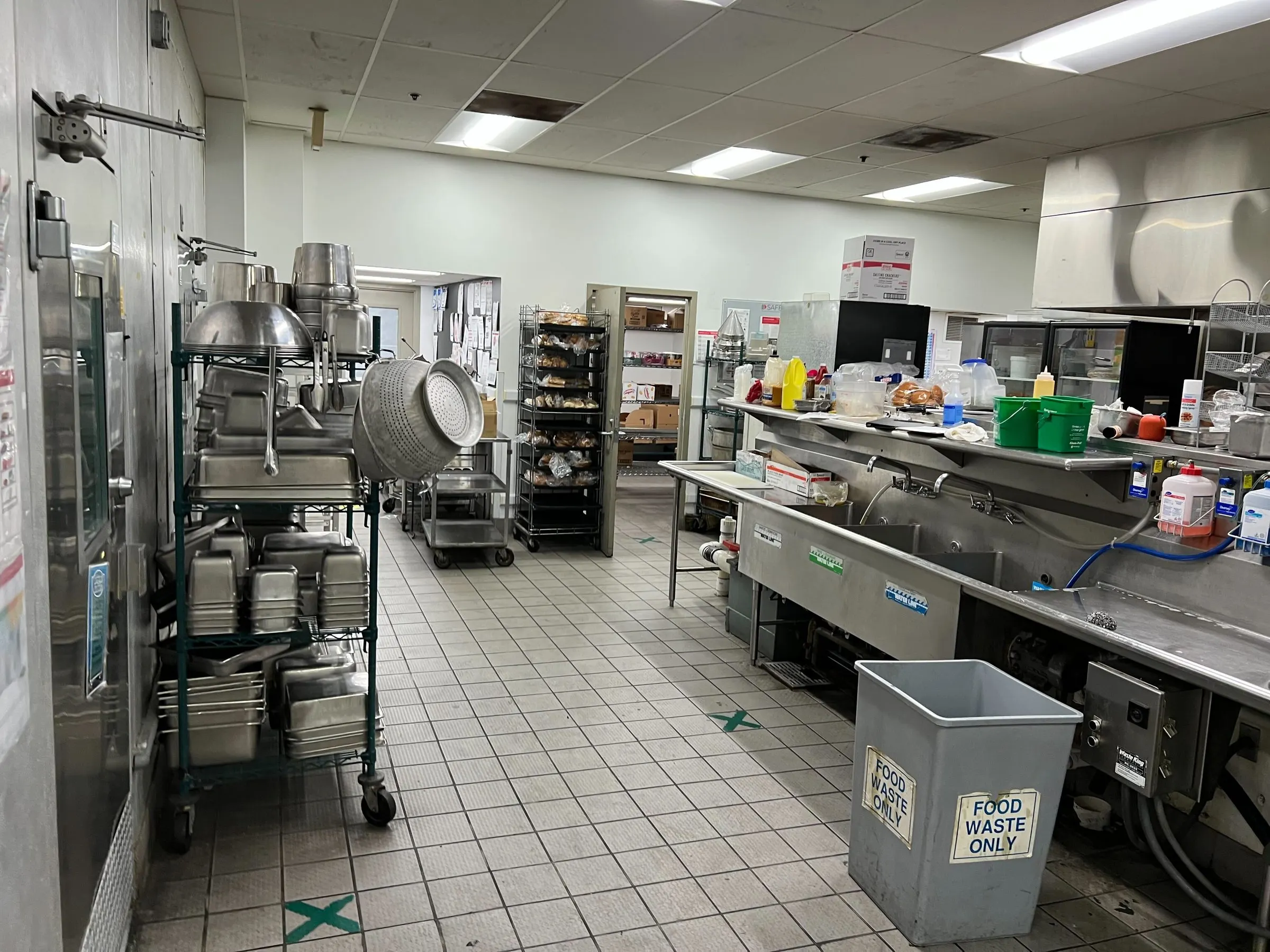
What check-in really looked like. A code in marker, a sign-in sheet taped to a door, and the back rooms where people had to find both. Partner names blurred.
- Goal 1
- Become the most trustworthy timesheet. Paper held that title.
- Goal 2
- Become the most convenient timesheet.
- Goal 3
- Stop timesheet complaints from blocking a move to a prepaid future.
On shift at Allegiant, our pros walked in while other agencies waited in line.
On December 3, 2021, I worked shifts at Allegiant Stadium, and I spent part of it studying check-in. QR was already being tested, months before it launched. Our pros scanned a code and walked in, and it was blazing fast. Other vendors had huge, slow lines and paper sign-in.
You don't get that from a dashboard. Standing there, you can see it: the same door, the same morning, and two completely different days at work depending on which agency sent you.


Allegiant Stadium, December 3, 2021. QR was already in testing, and our pros walked straight in.
Every venue breaks it in a different way.
I ran a clock-in workshop with the CEO, built on one statement: there are different types of venues with different needs, so do we agree that no single solution will work? We put our in-person research on the wall, with photos of whiteboards from real sites. In my notes: different horses for different courses.
We kept it to three problems to weigh at every venue: speed, fraud prevention, and basics like connectivity and power. And we kept coming back to the things a human does at the door: last-step verification, moving people to stations, knowing who's who, and making both sides feel confident.
Two people at that door, wanting different things.
These two lines sat at the top of our board on February 4, 2022, when a Discovery Day put QR at the center. Everything got judged against them. That board also mapped everything a code could do across a shift, and one sticky said it best: a human is important for clock-in and mid-shift, but not for clock-out.
We chose QR because it kept the human check at nearly the speed of a code.
We laid every method side by side. Geofence won on speed, with no person involved. It was also the hardest to trust, and a precise fence still leaves places to hide. Looking someone up was the most human, and the slowest.
QR was the only one that kept the human check at close to the speed of a code.
Average time to clock one person in or out
In seconds. Each method's range comes from our review, so a range means the deck gave a range.
Geofence was faster, with nobody watching. QR was the fastest way to keep a person at the door.
- QR code
- Each pro has a unique code, scanned by a captain or lead. Why: the most trustworthy pattern, the fewest adjustments and least theft, and a chance to check attire and fitness. It's the fastest supervised method, and something partners and pros remember. Hard part: it needs a person there, which was also the point.
- Four-digit code
- Why: the easiest to build, and it works anywhere without supervision. Hard part: codes are easy to share, nobody verifies the last step, and new pros get no human welcome at the door.
- Captain looks you up
- Why: very trustworthy, same in-person check. Hard part: slow. Searching a name is hard with unusual spellings or a big crowd.
- Geofence
- Why: no supervision, and a real sign of trust for seasoned pros. It's also a good backup. Hard part: fraud, new caterers and one-off events without clear boundaries, and no human contact.
- Codeless backup
- For Silver and above when they can't find a code, and only with precise geofences on.
- The conclusion
- In our words: there is no one silver bullet, though we should reduce complexity wherever we can. Should every pro use QR? No. Once a pro has earned trust, skipping the line can be a perk.
The flow came down to who has to remember to do what.
Two early versions from the FigJam. The difference is who has to remember to do what. In the first, arriving does the work: being near the venue readies the code for everyone. In the second, the code is simply part of the app, and people pull it up themselves.
- Confirm shift
- Shift starts soon, 90 min before
- Arrive on time
- Wait in line
- Automatically have QR code
- Show QR
- Clocked in
- Show up at venue
- QR activation
- All nearby devices get codes ready
- Scan QRs
- Show up at venue
- QR is a default part of the screen
- Pull up QR
- Show QR
- Show up at venue
- Go to QR scan screen
- Scan QRs
A note on the board: whichever way it goes, "Find my captain" and the QR code need to be together.
- For pros, on the board
- Clear communication of where I must be. No anxiety when I enter the clock-in zone. Who the captain is, where they are, what they look like. A way to call or message them. A QR that pops up when you arrive, with a manual way in if the tech fails. After the scan, automatic confirmation.
- For captains, on the board
- A map and roster showing who hasn't arrived, how far away they are, who's in the area, and who's checked in. One clear button to open scan mode. Scan as fast as possible: each scan clears the last pro and brings up the next.
- My note on the board
- Let the geofence lock in the pro's time, with a 10-minute window. Walk in at 9:07, confirm for 9:00.
- Hard edges we wrote down
- Complicated names, places too loud to hear them, cold environments, phones that are off or broken.
Many versions later, the code got simpler: your face, your level, one code.
Active design started on April 6, 2022. I look for this in anyone I hire: the failed versions, and how you got from there to the answer. Here's how the code changed.
An early idea put the pro's face inside the code. Later versions got simpler, with the photo above the code and the code on a plain white card on brand blue.
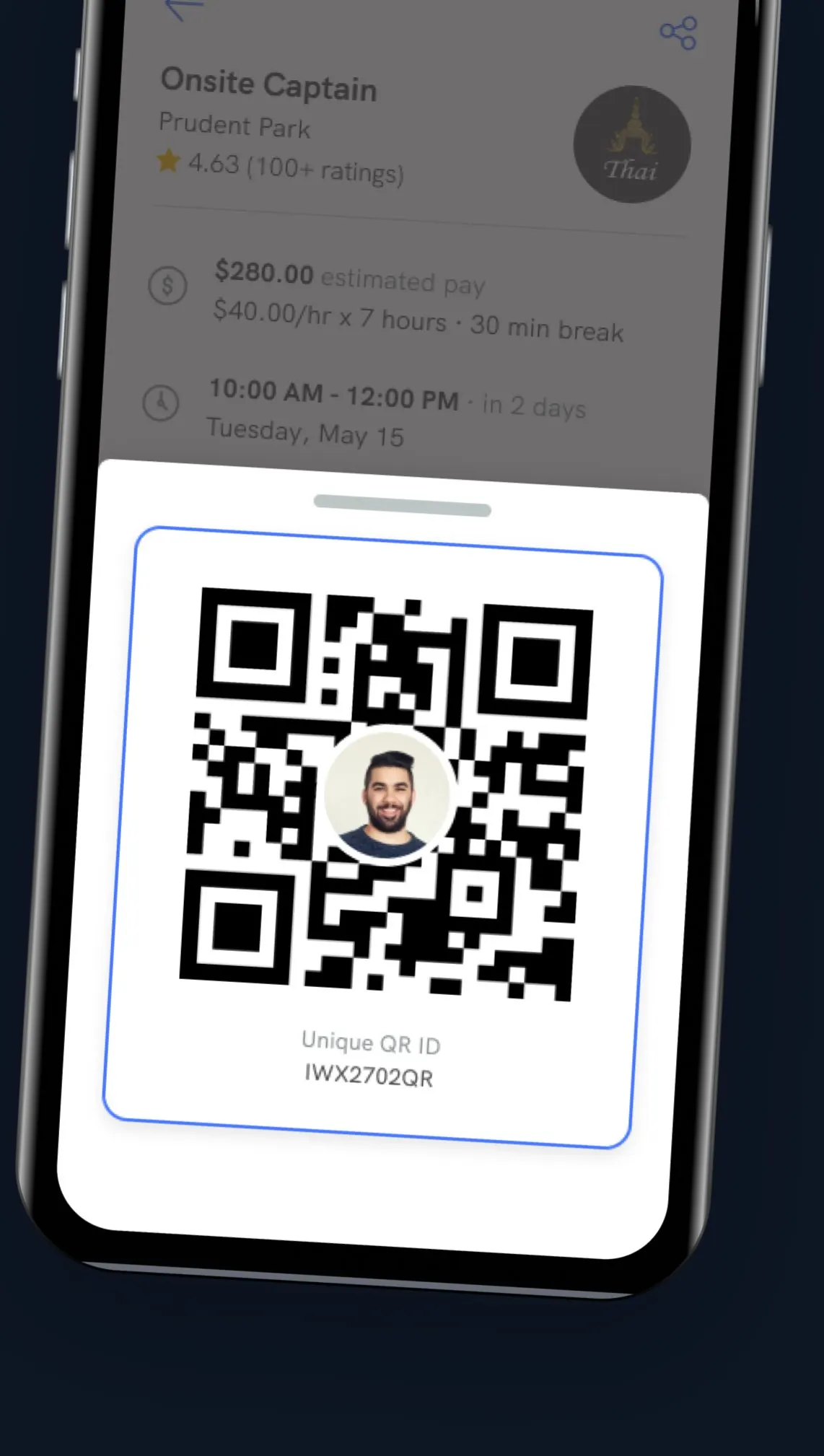
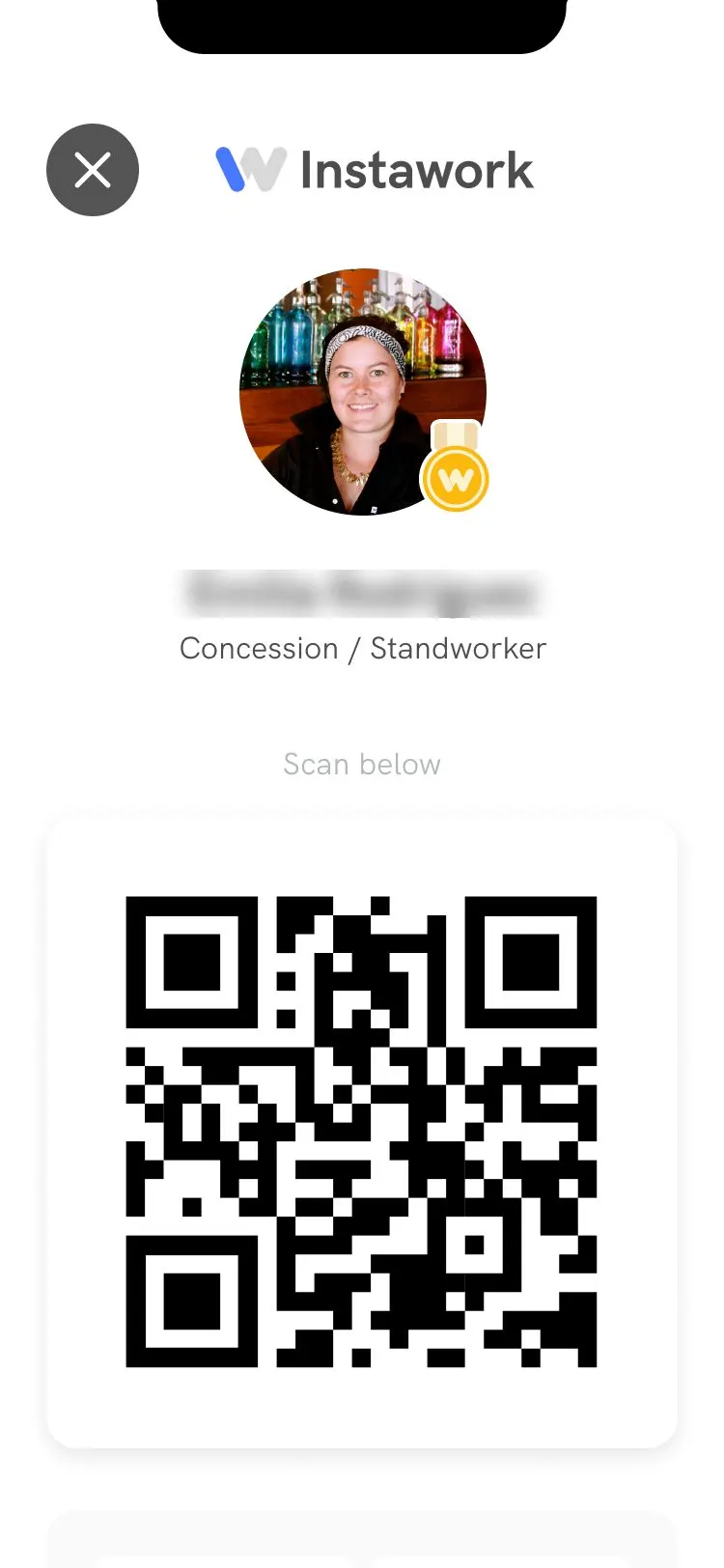
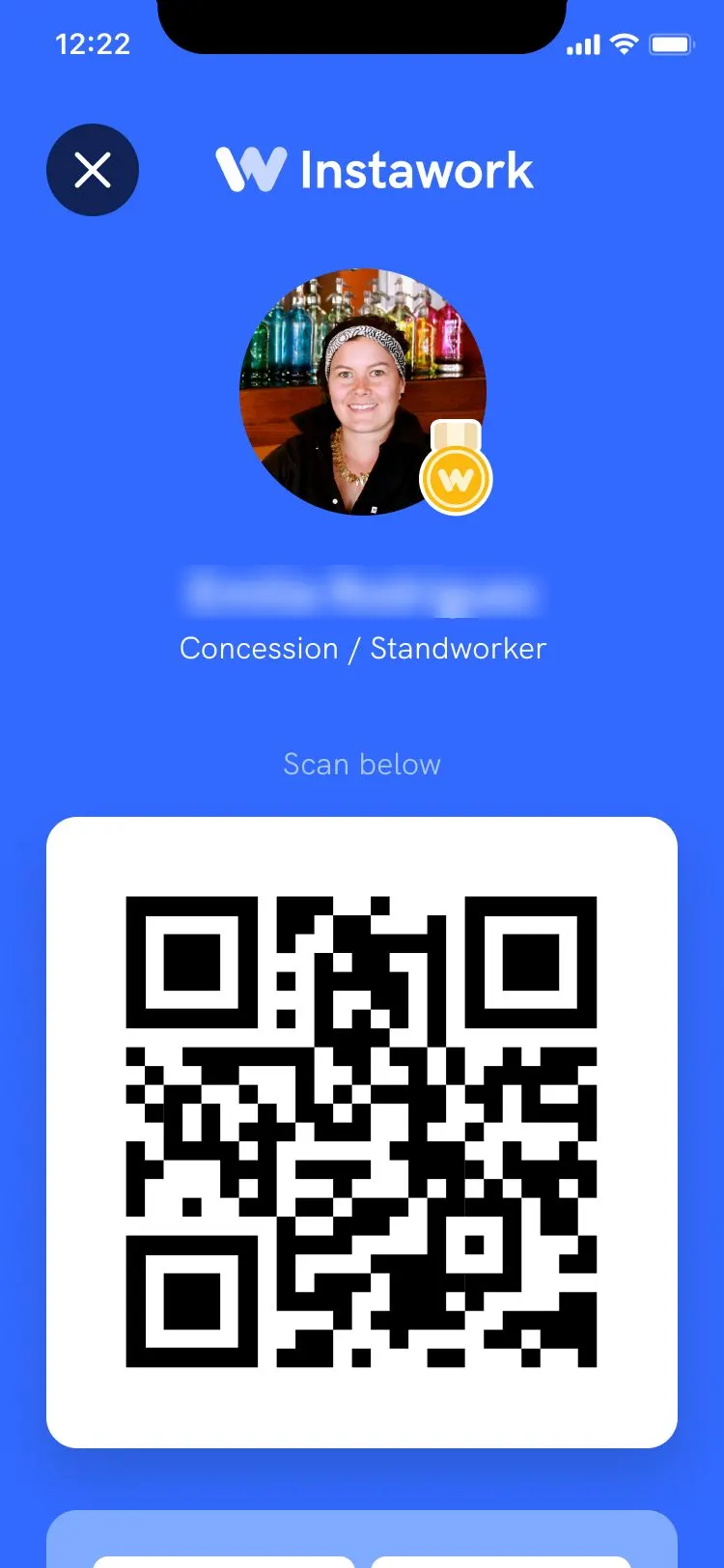
Three of the versions, from a face inside the code to a plain card on brand blue.
The real test was the captain's scanner: a line of people, sometimes poor light, and no time.
The real test was the scanner. A captain has a line of people, sometimes poor light, and no time. We went through direct-to-profile versions, a scanning view, manual adjustments, and dedicated clock-in and clock-out modes, then spent June testing how to rate someone without slowing the line.
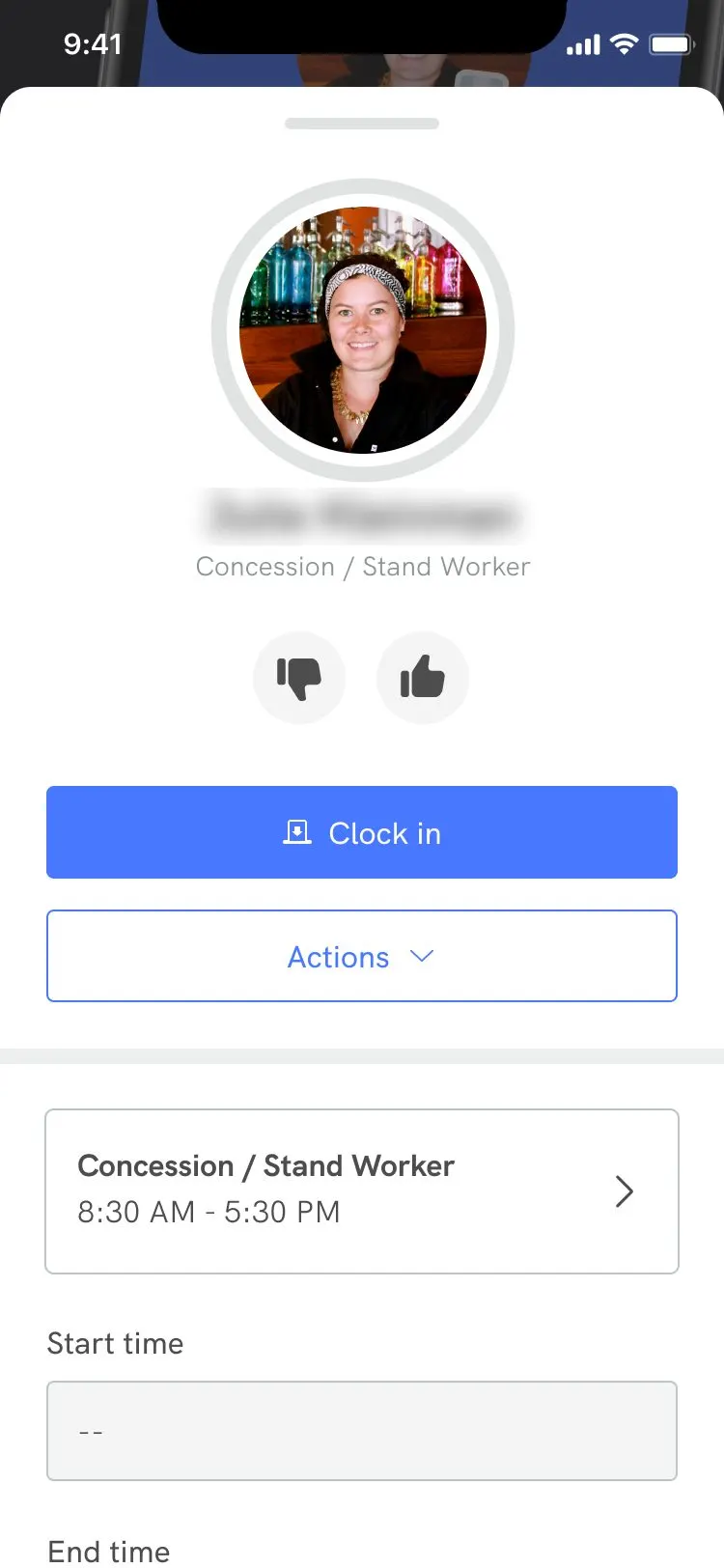
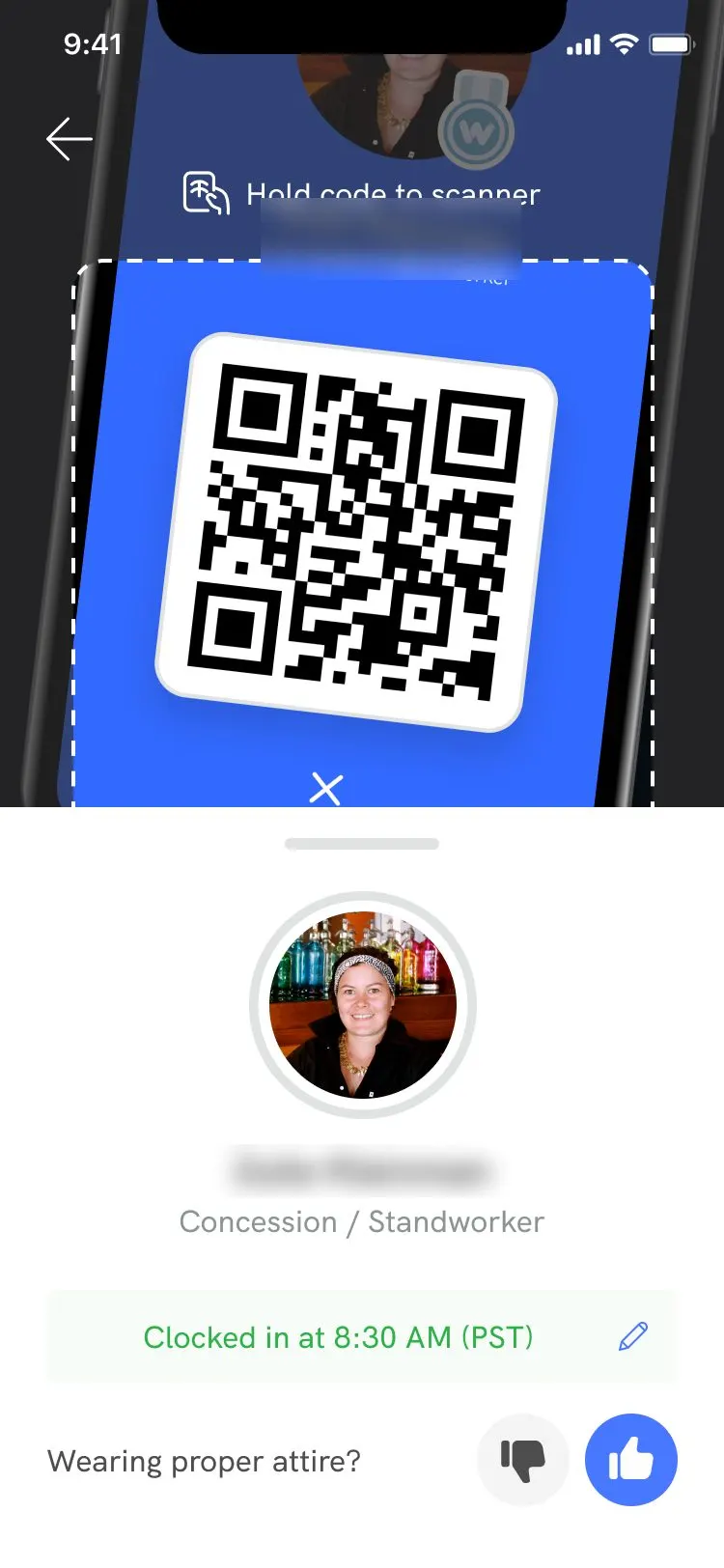
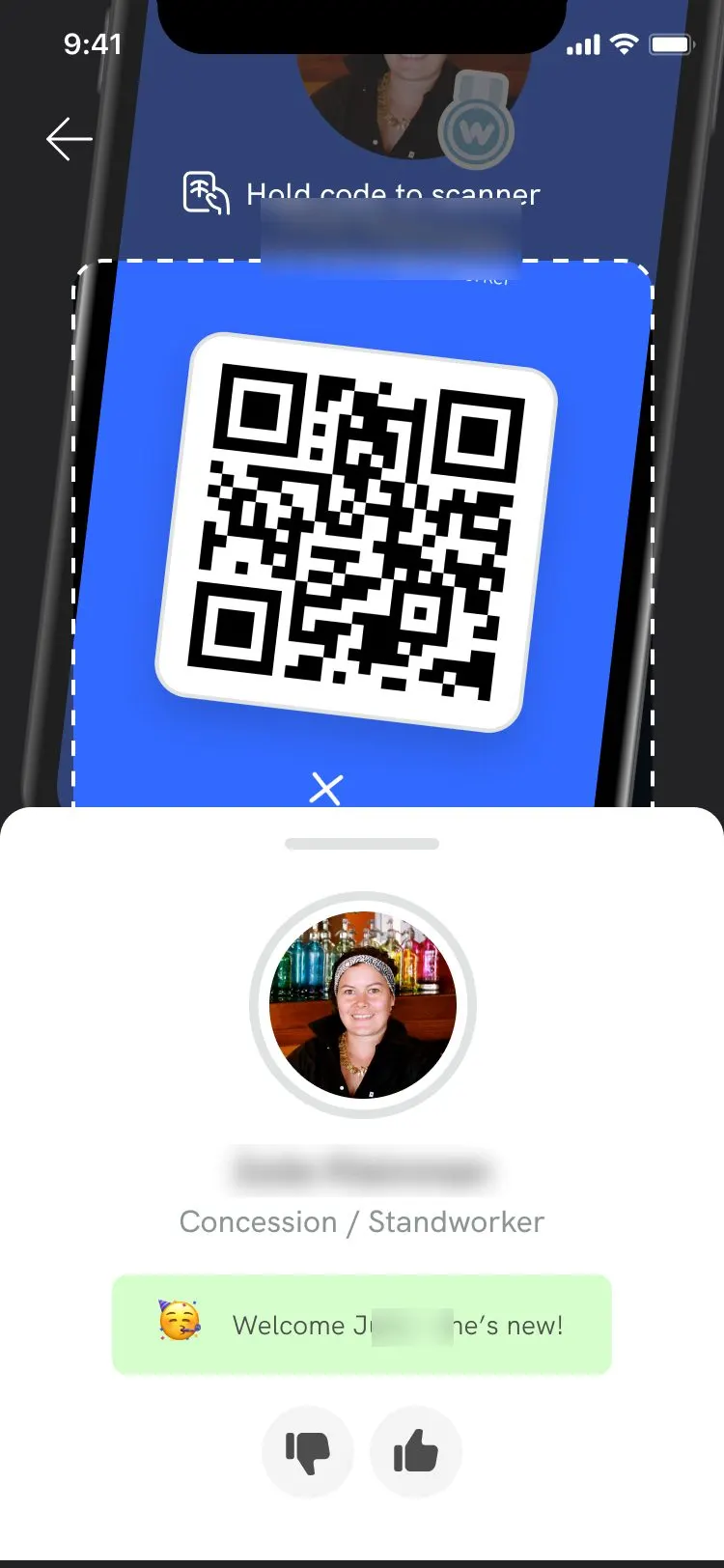
Design screens from the file, with a sample pro and a stock photo. Names blurred.
- Entry points
- Where the QR lives on the shift screen. Early versions put it in several places. Later, for QR shifts, the Clock in button simply opened it.
- Status at a glance
- We explored color around the code to show where a pro was: before clock-in, clocked in, during the shift, clocked out.
- Other technology
- We looked at NFC tags too: "Hold your iPhone near the Instawork tag to clock in." The method that shipped was QR.
- Clock-in and clock-out modes
- When everyone arrives at once, nobody should press extra buttons. Logic decides what a scan means: scan someone not clocked in around their start time, and they're clocked in.
- Ratings without slowing down
- On June 17 we compared three ways to rate from the scanner: thumbs right on the screen, a long press, or a drawer you swipe. The thumbs carried through to the later screens.
- Don't leave the camera on
- Open for more than 3 minutes, the scanner asks "Are you still scanning?" and closes unless you answer.
- Fail well
- Enter a code manually. Clock in by hand from a pro's details. Find your captain, or say you can't.
- Keep going after launch
- Refinements on June 13, specs for development on June 28, an update on September 13.
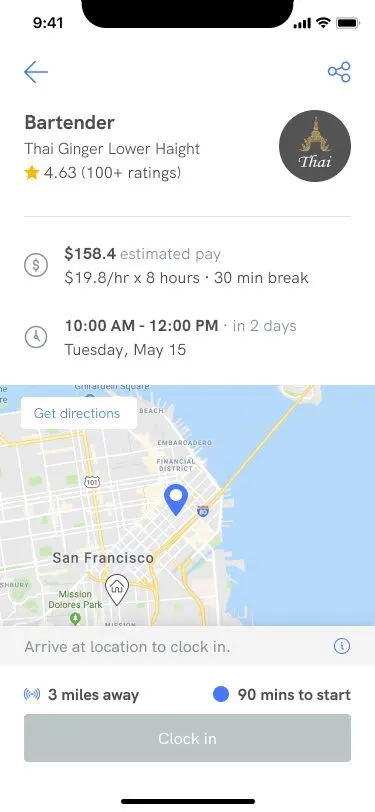
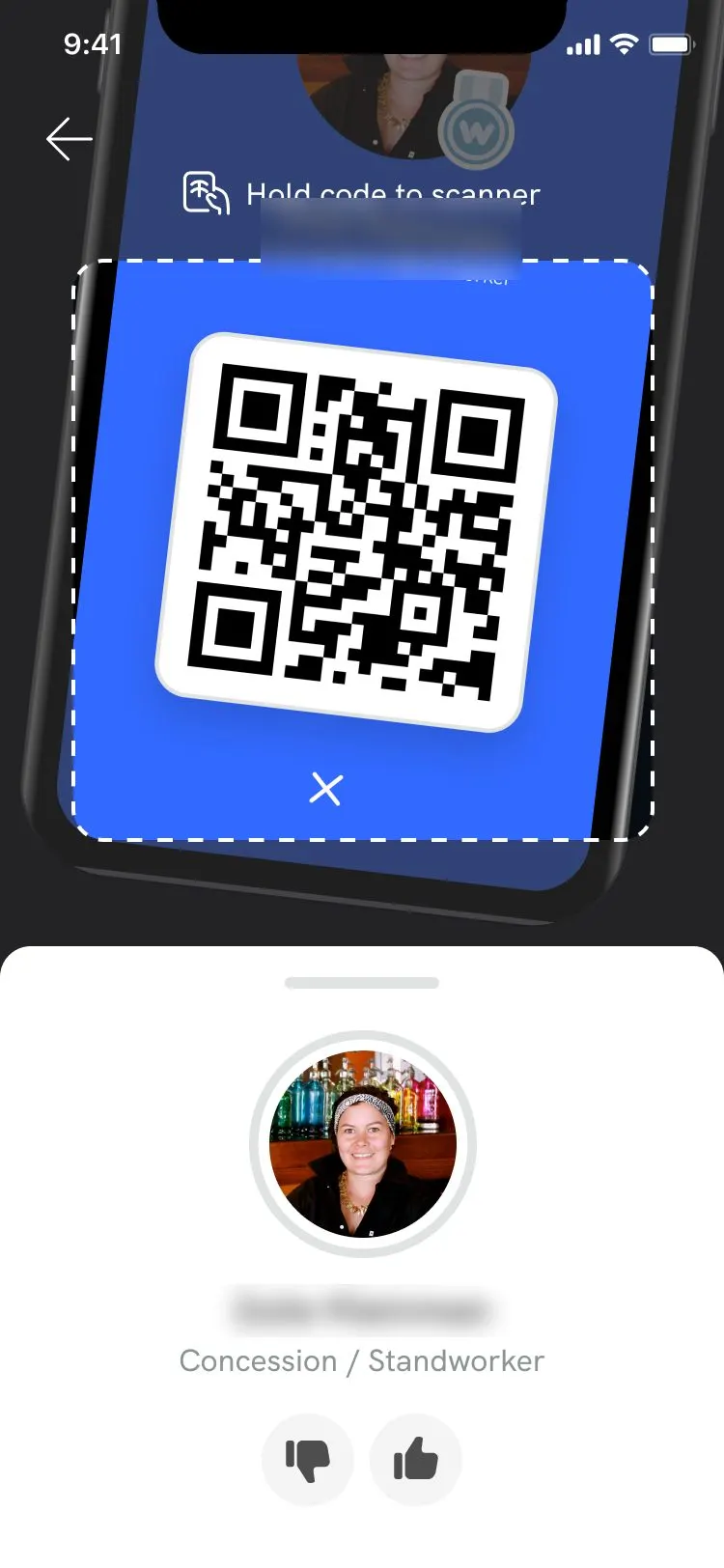
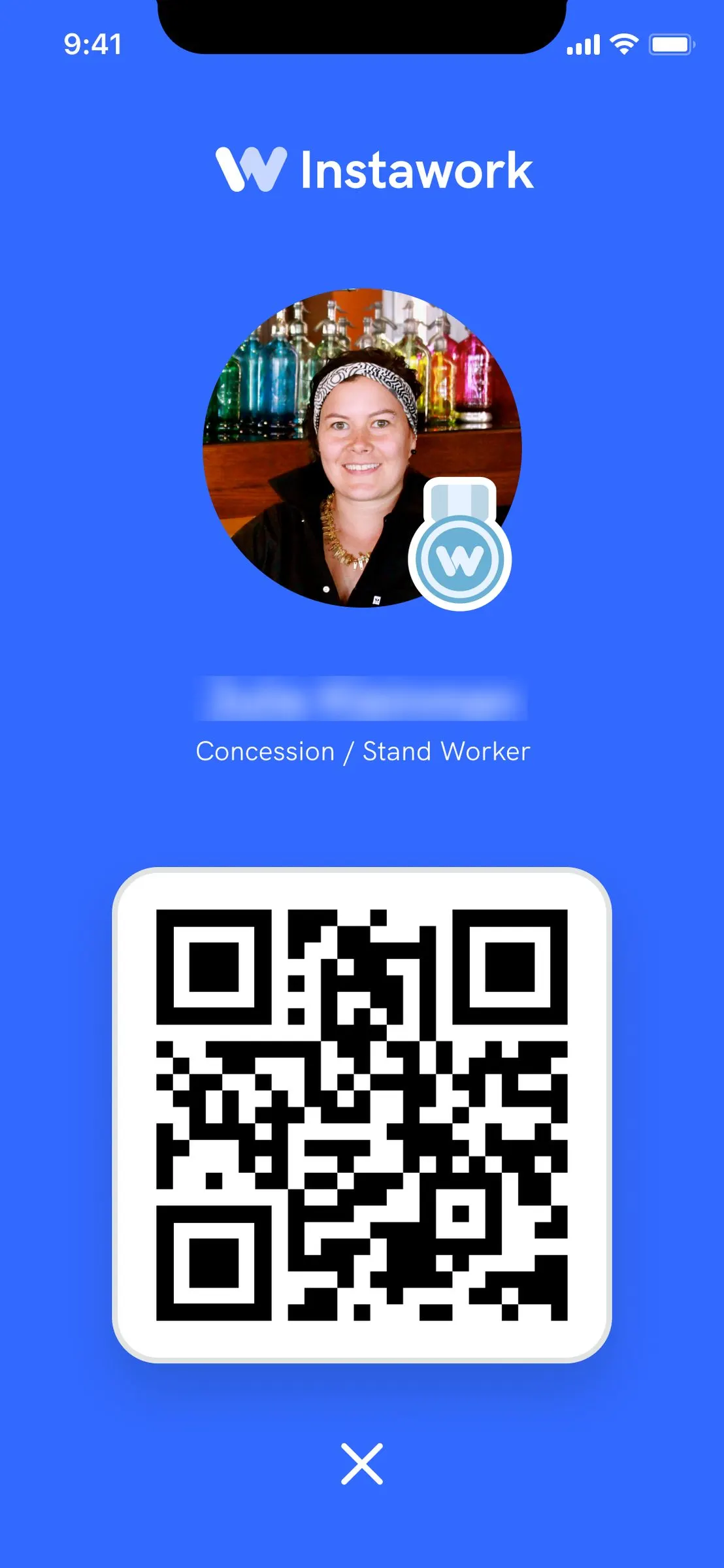
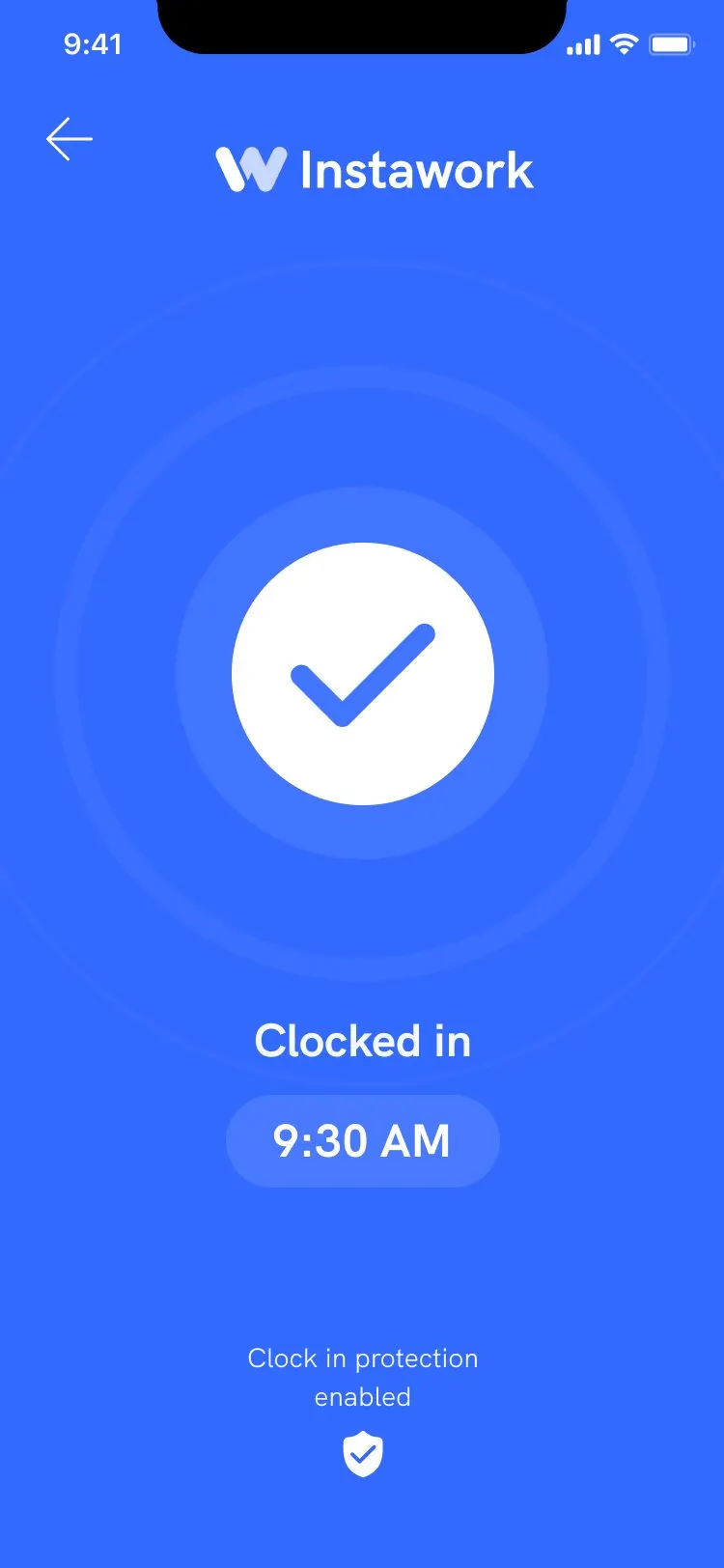
End to end: the shift screen before you arrive, the captain's scanner, the pro's code, and the success screen.
We tested at stadiums, launched to every captain shift, then listened.
Stadiums were the initial test. QR was being tested there well before launch, which is what I saw at Allegiant. On June 16, 2022, it launched as an MVP on every shift with a captain.
Then we watched it work. People on our team went on site and wrote down what they saw. Captains told us directly, in a Slack channel that grew to hundreds of testimonials.
Venue types in our review. Stadiums were the focused test. Captains had no significant coverage yet in the others.
- September 2021 to February 2022
- North Star work, clock-in boards, stadium shifts, then a Discovery Day.
- About January 2022
- Initial captain tooling.
- About February 2022
- Captain manual clock-in.
- April 6, 2022
- QR becomes an active design file.
- June 16, 2022
- QR MVP launch, on all captain shifts.
- About July 2022
- Manual clock-in comes to the business app.
- September 27, 2022
- Clock-in review with the product team, 50,000+ scans in.
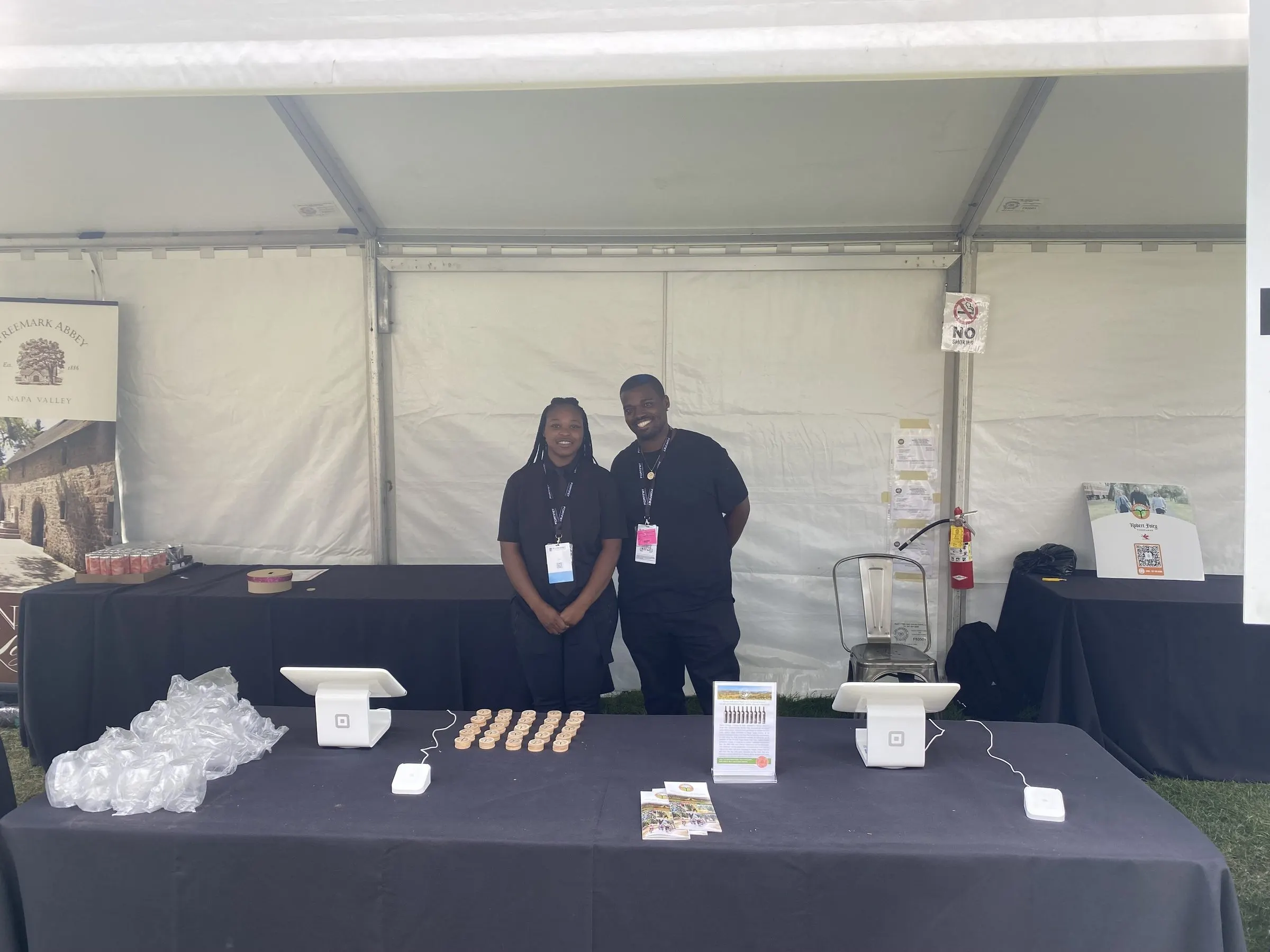
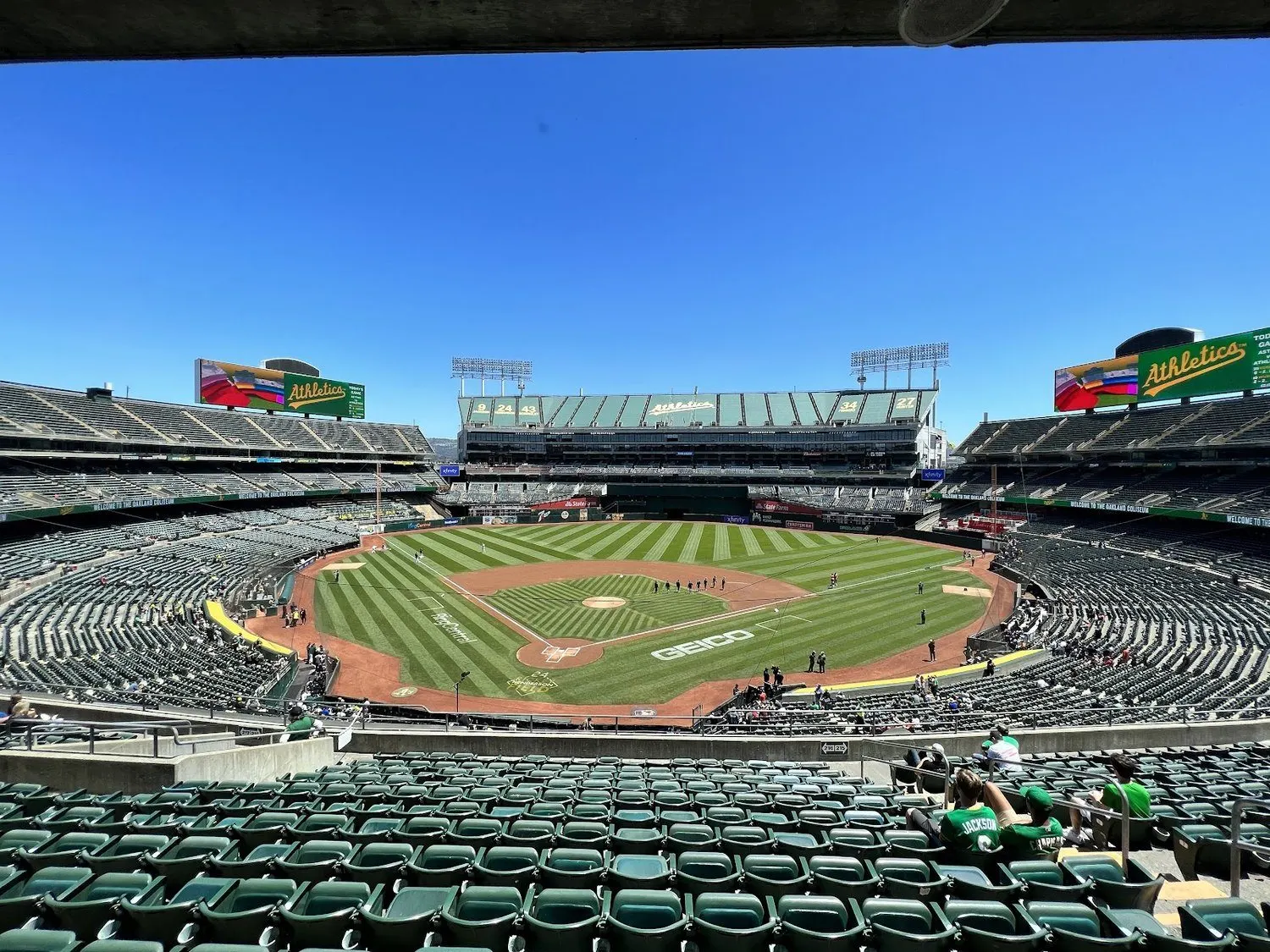
Out in the field: an event check-in, and my customer visit two weeks before launch.
"This was also the first shift where security was backed up because clock in went so quickly."
A colleague's field notes from a ballpark shift. The check-in table went so fast that the next line became the problem.
"Our QR code check-in process is better than all other agencies [paper timesheets] at [the ballpark]. It's faster and more reliable."
A captain in Boston.
What captains and account managers told us, from a Slack channel that grew to hundreds of testimonials.
The charts: QR grew fast, needed the fewest corrections, and nearly ended time theft.
I redrew these from the charts in our review so they'd stay sharp. Hover or tap for a week's numbers, or open the table. The last four full weeks are exact figures from the review. The earlier points were read off the original charts, so treat them as very close.
QR grew fast from zero, on top of everything else
Weekly clock-ins by method, 2022.
See the table
The last bar is a partial week. Our review notes that the late September drop in QR came from fewer captain-eligible shifts, not less use.
QR needed the fewest corrections
Share of clock-ins later adjusted, by method. Lower is better. Our review called QR the best performing method on this measure.
See the table
Time theft nearly disappeared on QR
Weekly time-theft rate, by method. Lower is better. It wasn't a massive problem to begin with, but the gap between QR and codes says something about behavior when a person is watching.
See the table
Most of the marketplace couldn't use it yet
Onsite captain coverage by month, 2022, as a share of the count shown above each bar. Captains cover mostly events with 25+ pros. In September, 15% was covered. 75% wasn't eligible at all.
See the table
QR worked where it ran, and it couldn't run on most shifts yet. That's the honest limit on everything above.
Then we asked what else a code could do.
The review ended on what might be next. Our principles for that: optimize for trust and for speed, create a great experience on both sides, and limit interruptions to the work.
The big questions were honest ones. What share of partners would use QR without captains? What about small groups of 1 to 25? Wouldn't a partner scanning people go against convenience? Early conversations said no. A lot of work and worry already happens after a shift, cleaning up timesheets. Partners we talked to saw this as an upgrade.


- Scanner improvements
- Maximum speed if there are no issues, with instant access to all controls in a swipe.
- Pro confidence
- No excuses for adjustments. Pros should feel confident, even excited.
- A signature sound
- A success sound meaning quality, reliability and convenience, and a spectacle unusual enough that people notice. We built a sound study for it on September 26. The feedback we hoped to hear: "Instawork is living in the future while everyone else is stuck in the past."
- A memorable first day
- Our Lyft fist bump moment. What could break the script of what a new pro gets everywhere else?
- A shift passport
- One code for the whole day: clock in, apparel rental, breaks, switching stations, clock out.
- Partners scanning for themselves
- QR in the business app. The functionality was built so it could port over quickly, to be released slowly and tested. Account managers were hearing interest, including from a catering partner that wanted it for its own on-site managers: "It would make it a lot easier."
- What we asked to do
- Apply more resources to validate QR and test with more kinds of users. Consider making QR the primary method and simplify the stack. Commit to refreshing the live shift screen to best support it.
- What we'd fix first
- We treated most methods with equal weight, turning many on by default. More methods meant more potential confusion. We needed an opinion about which one was primary.
My team designed it. I went and looked.
A designer on my team owned the QR file and led the screens. Another designer explored early versions. Our researcher was on the board, engineers built it, and captains made it work on the ground.
- My part
- The shifts and venue visits. The clock-in workshop with the CEO. Ideas on the early boards, like the 10-minute window. Pushing the bar for polish, sound and haptics. Chasing what partners were saying. In my 2022 retrospective I listed it as "Designed, built, and tested a new technology."
- Team and tools
- Figma and FigJam for flows and iterations, charts from our product analytics, Slack for captain feedback, and written field notes from site visits.
What it didn't do
- QR stayed small overall. Even in its best week it was 13% of clock-ins, and half of all clock-ins still used a four-digit code.
- It needs a person at the door, so it only worked where captains or leads were. Most shifts didn't have one.
- Weekly numbers jump around. QR's share went from 13% one week to 6% the next, depending on which events ran.
- Broken phones are real. On one shift, a captain had to note three pros with broken screens on a paper sheet.
- The speed numbers are averages from our own review, with a range when the deck gave a range. Time with the app closed runs 10 to 15 seconds.
- Too many methods stayed turned on, and that created its own confusion.
- I can show the plans for the sound, the first-day moment and the shift passport. I can't show that they shipped.
Your line is probably somewhere you haven't stood yet.
Send me to it. I'll work the shift, map what really happens, and help your team design and ship the fix, with AI in the loop where it speeds things up.
Start a conversation