
SchoolAI grew 10x while I led design. I launched the new platform on stage.
In two years SchoolAI's ARR grew 10x, past $9M, and the product reached more than a million classrooms in 200 countries. I grew design from one designer to seven, captained the redesign of the whole platform, and wrote and gave the keynote that launched it. Here's how I did it, and the decisions that made it work.
What happened.
SchoolAI's ARR grew 10x in two years, to more than $9M. The product reached more than a million classrooms in 200 countries. These are company numbers, earned by a lot of people. I led design through all of it.
My part: I captained the 2.0 redesign, launched it from the stage, kept going into real schools to see what we'd got wrong, led the plan that took the product to WCAG 2.1 AA, and grew a team of seven.
Teachers kept asking for more than a chat box.
SchoolAI launched Spaces in 2024: a place where a teacher could set up an AI experience for students. We visited a lot of classrooms that year, and we kept hearing the same kinds of things.
"What if I could create multiple activities in one Space?" "What if I could use Spaces for more than student learning?" "Wouldn't it be cool if I could see what my students are actually thinking?"
People were bending the product to fit jobs all over their schools. Answering them meant rethinking the whole platform. Everyone from engineering to sales needed to see the same picture of where we were going.
We gave ourselves one week to draw the whole platform.
In February 2025 we committed to a full design vision of 2.0 by Friday, February 14. I scoped it around five areas: Create, Organize, History, Discover and Mission Control. I wrote a brief for each, with the design challenge and what an incredible outcome would look like.
We parked anything that could wait. Each parked idea got a placeholder in the information architecture, so it would have a home later.
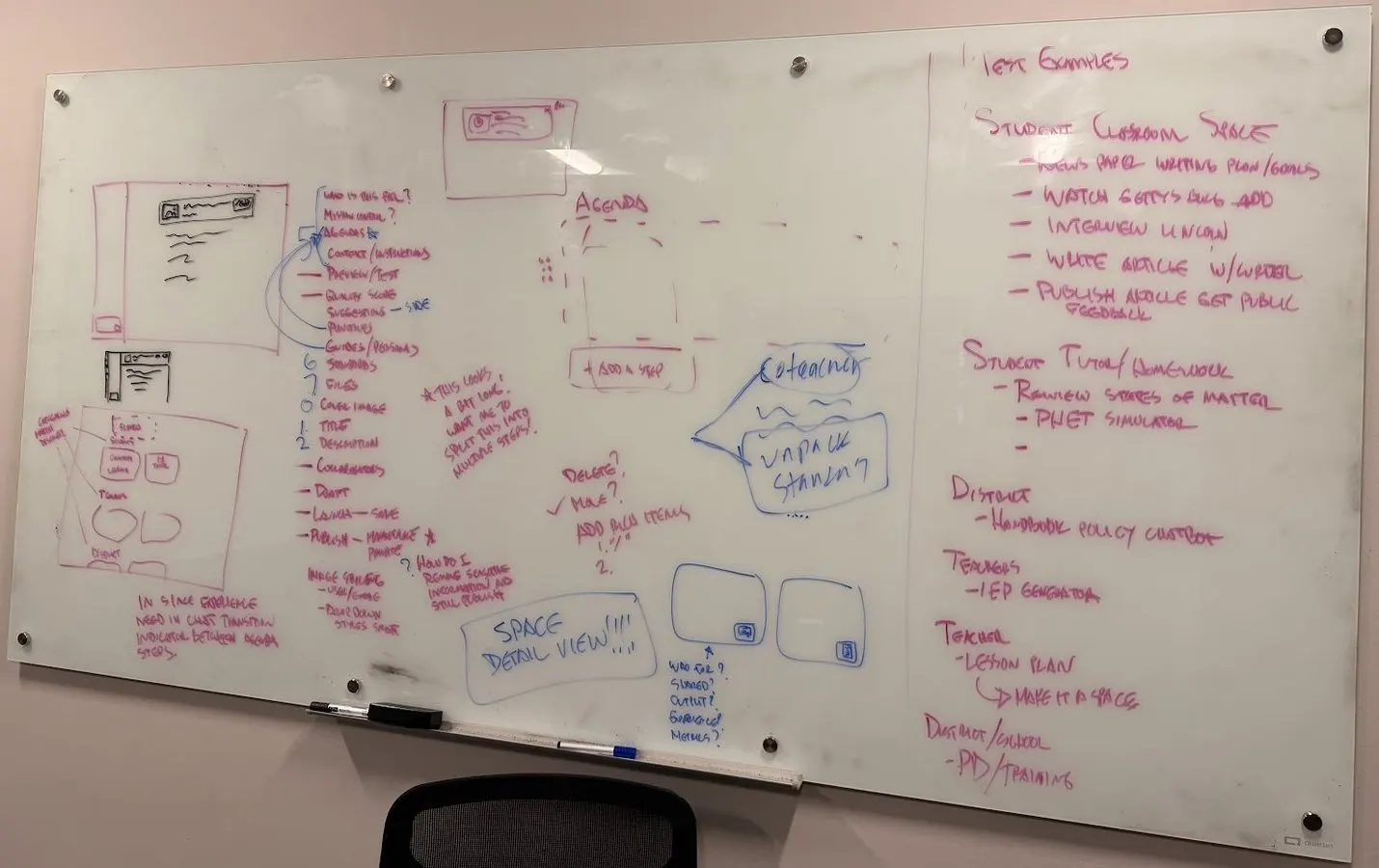
February 2025. Working out what a Space holds, with test cases down the right side. "Interview Lincoln" was already on the board.
We missed the date, so I put an owner on every piece.
By April the company needed one shared thing to look at. The goal was a full clickable prototype of 2.0 by Friday, April 18. We didn't make it. The page still says "We got close but still need to finish."
I took over as captain of the finish. I split the product into areas, each with an owner and a percent done that everyone could see. I owned History, Notifications and Community, and shared Discover and Mission Control. Other designers owned the rest and did great work: Organize, Create, Agendas, navigation and the student experience.
Then I wrote the demo story first and made the prototype serve it. A fifth grade teacher. Dot and a podcast. A shared collection, a student Space, Mission Control with data, Discover, then making a Lincoln Space. In June I turned it into seven narrated videos and a written storyline, so everyone in the company could get it without a meeting.
The real table, April 2025, as we missed the date. A number everyone could see did more than another meeting.
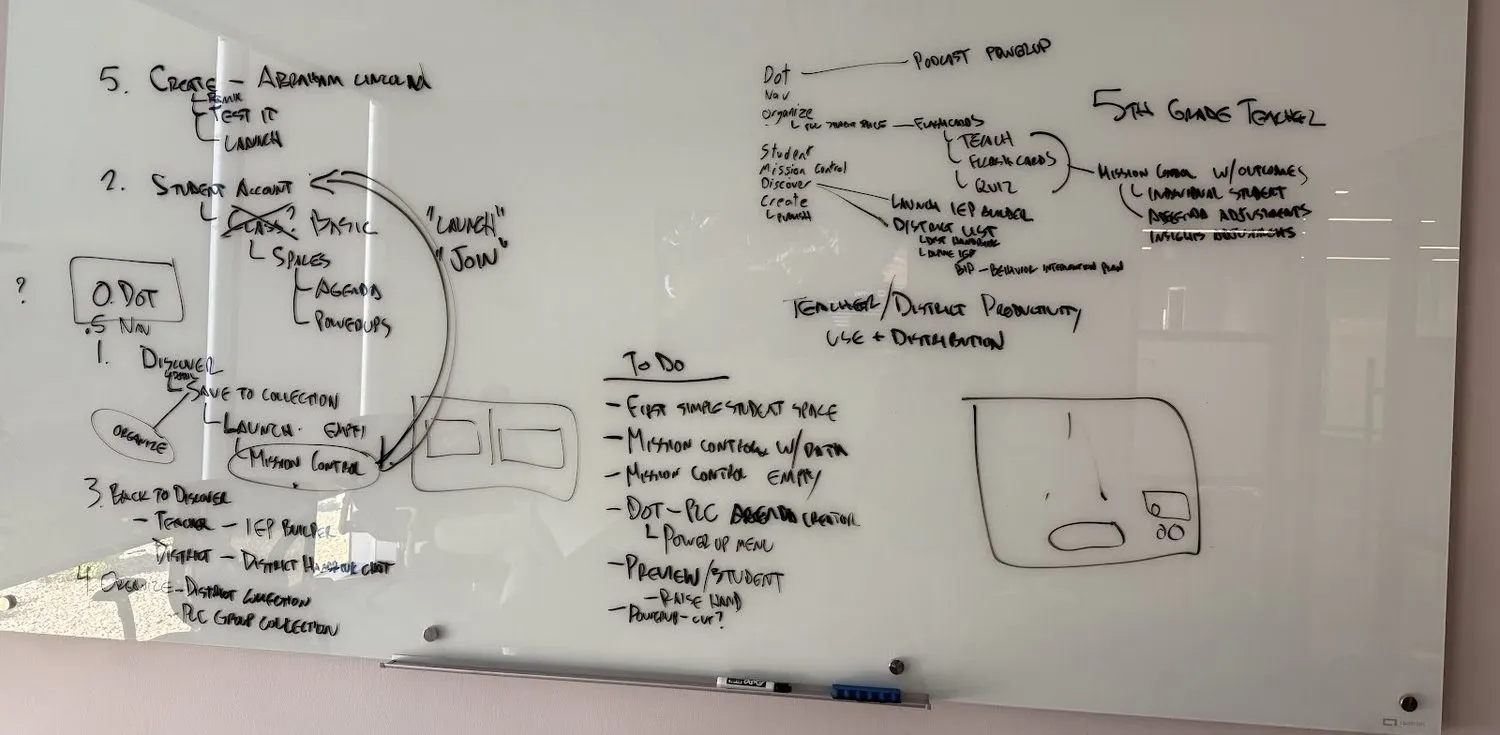
I wrote the demo story first, then built the prototype to serve it. The order and the to-do list, April 18, 2025. I cropped out a Wi-Fi password.
2.0 rested on one idea: each piece makes the others better.
I kept coming back to compounding value. Dot talks to you. PowerUps do the work on screen. Agendas put activities in order. Mission Control shows what students are thinking. Discover and Organize get it all to the next teacher.
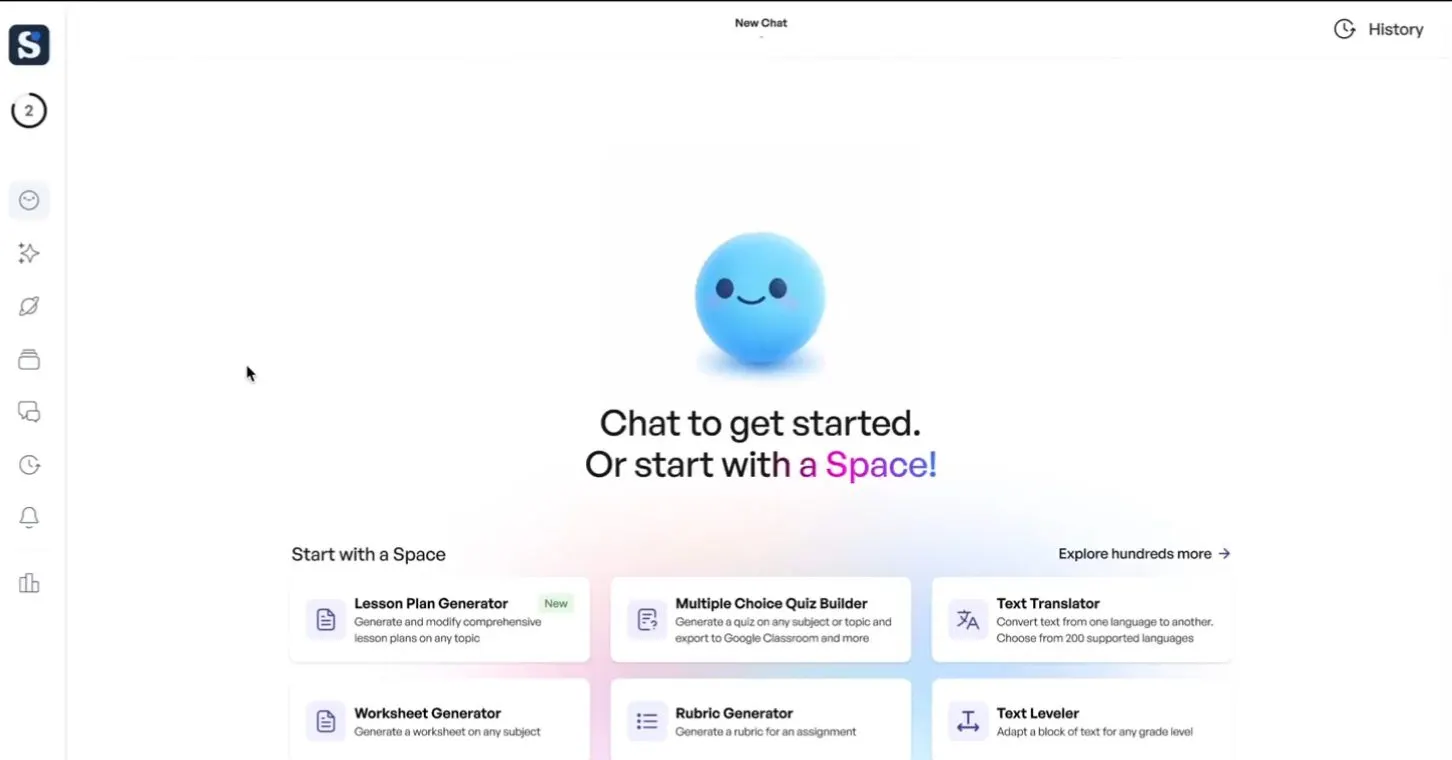
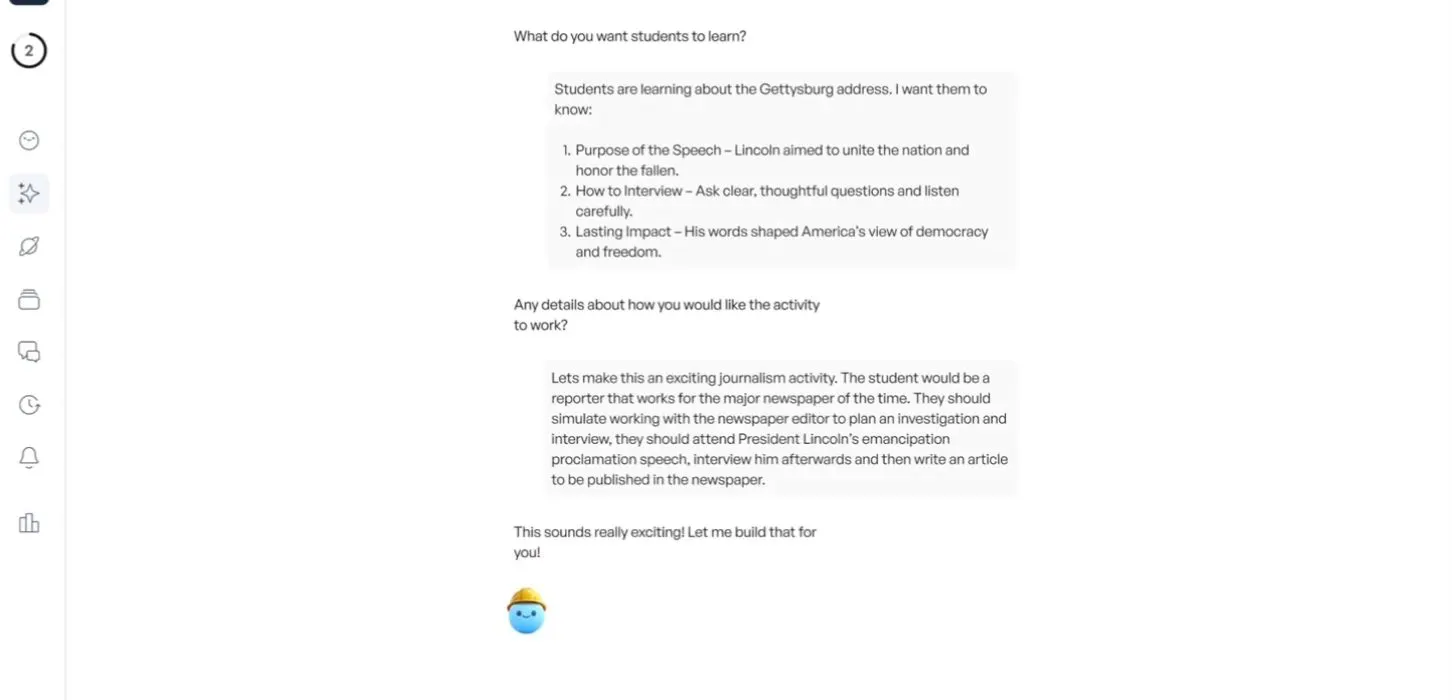
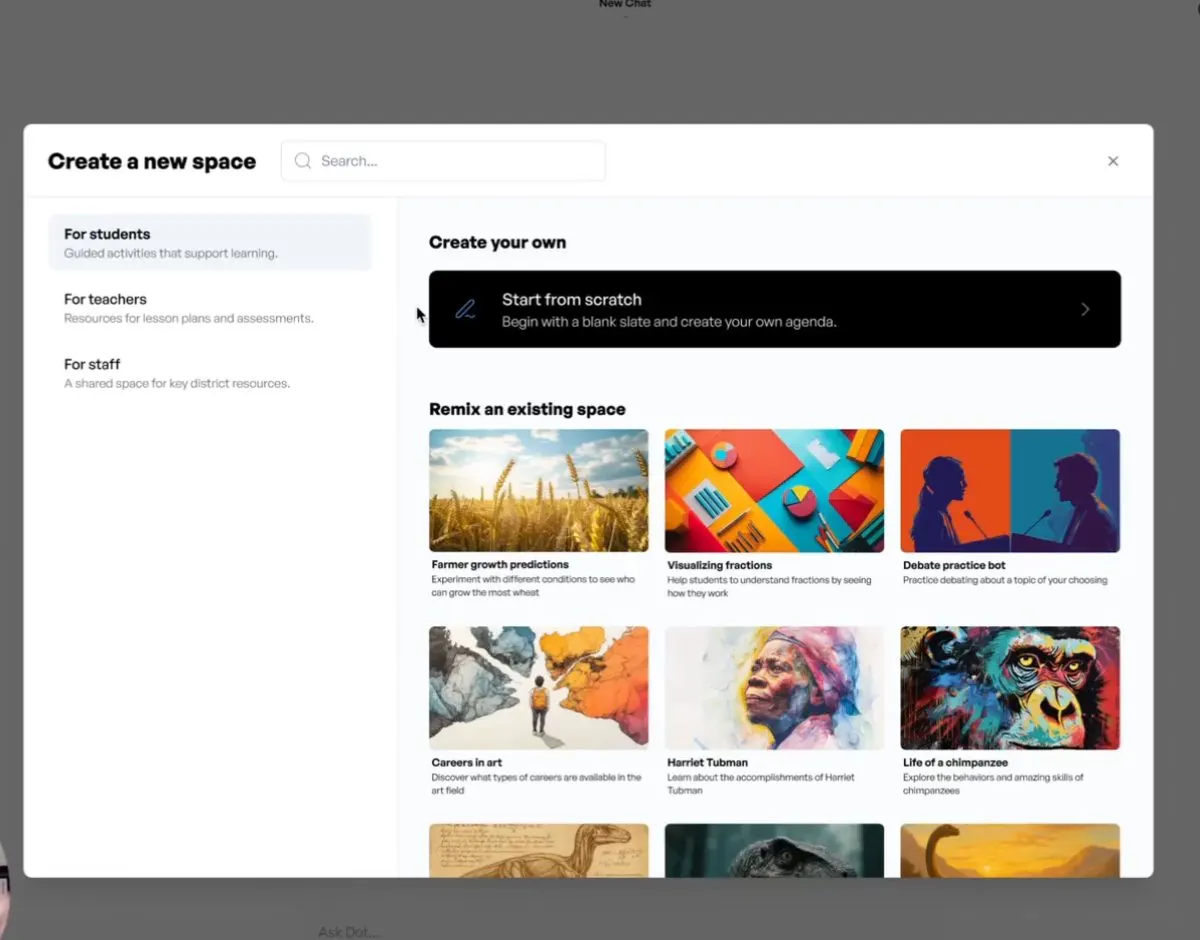

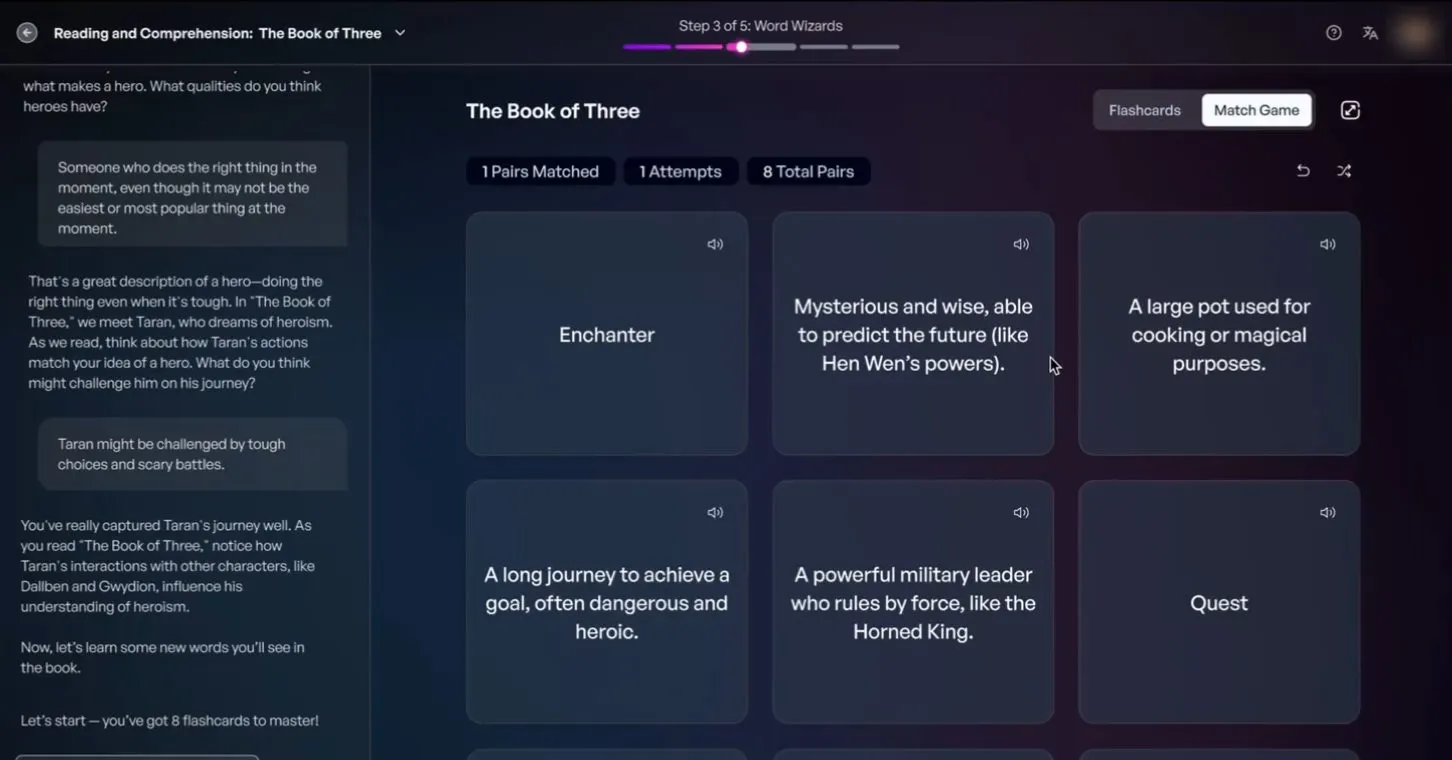
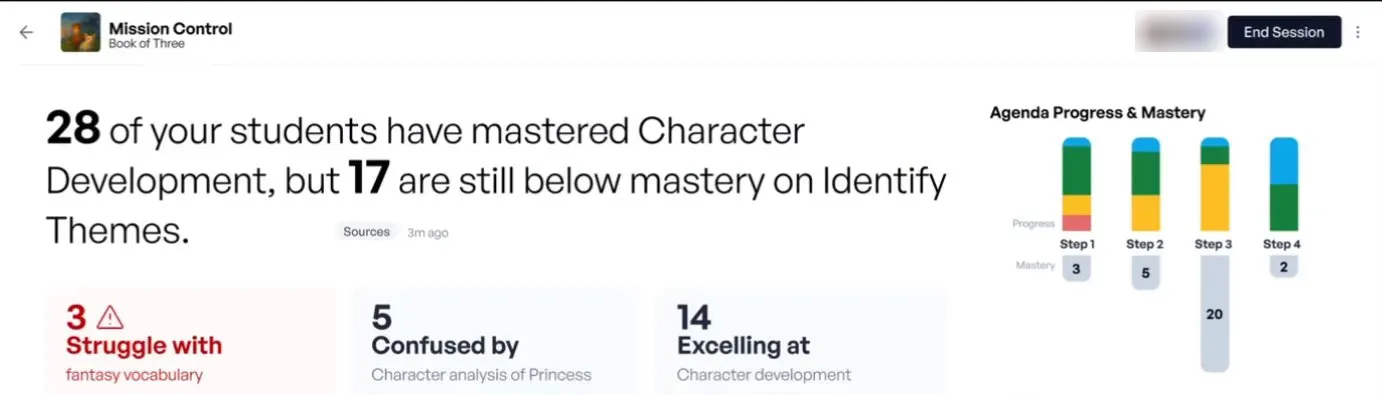
The pieces of 2.0: Dot's home, creating a Space by conversation, remixing, Dot itself, a PowerUp beside the chat, and Mission Control showing who needs help. Mock data.
- Dot
- "Your guide on the side." An AI sidekick in every interaction. I created Dot, and it has its own page.
- PowerUps
- "Dot is your guide on the side while PowerUps take the stage." Interactive tools that slide in beside the chat. Launch day had Presentation Creator, Chess, Planet Explorer, Document Generator, Doodleboard, Image Generator, Mindmap and Translate.
- Agendas
- A Space broken into steps, each with its own PowerUps, prompting and outcomes.
- Intent-based creation
- "We do the prompting for you." Dot asks a couple of questions and builds the whole Space, so nobody has to be a prompting expert to make a good one.
- Mission Control
- The storyline I wrote pitched it as "who needs help, why they need help, and what you can do about it." Live insights at the class, group and student level. Students who need help rise to the top.
- My Space
- A personal AI workspace with no agenda and no rules, with every PowerUp available.
- Discover
- A free marketplace of Spaces made by educators around the world.
- Organize
- Two ways to share: top-down from a district, and sideways across a grade-level team.
- History and Notifications
- Two of the areas I owned. Never lose the lesson you made last week, and stay connected without being buried.
- Chrome extension
- SchoolAI on any site. The keynote demo: open a student's writing in Google Docs and get feedback against your rubric in one click.
- Languages and design system
- 60 languages, left-to-right and right-to-left. All of it sat on a design system program I'd set up in August 2024, built by our engineers with a design lead on my team.
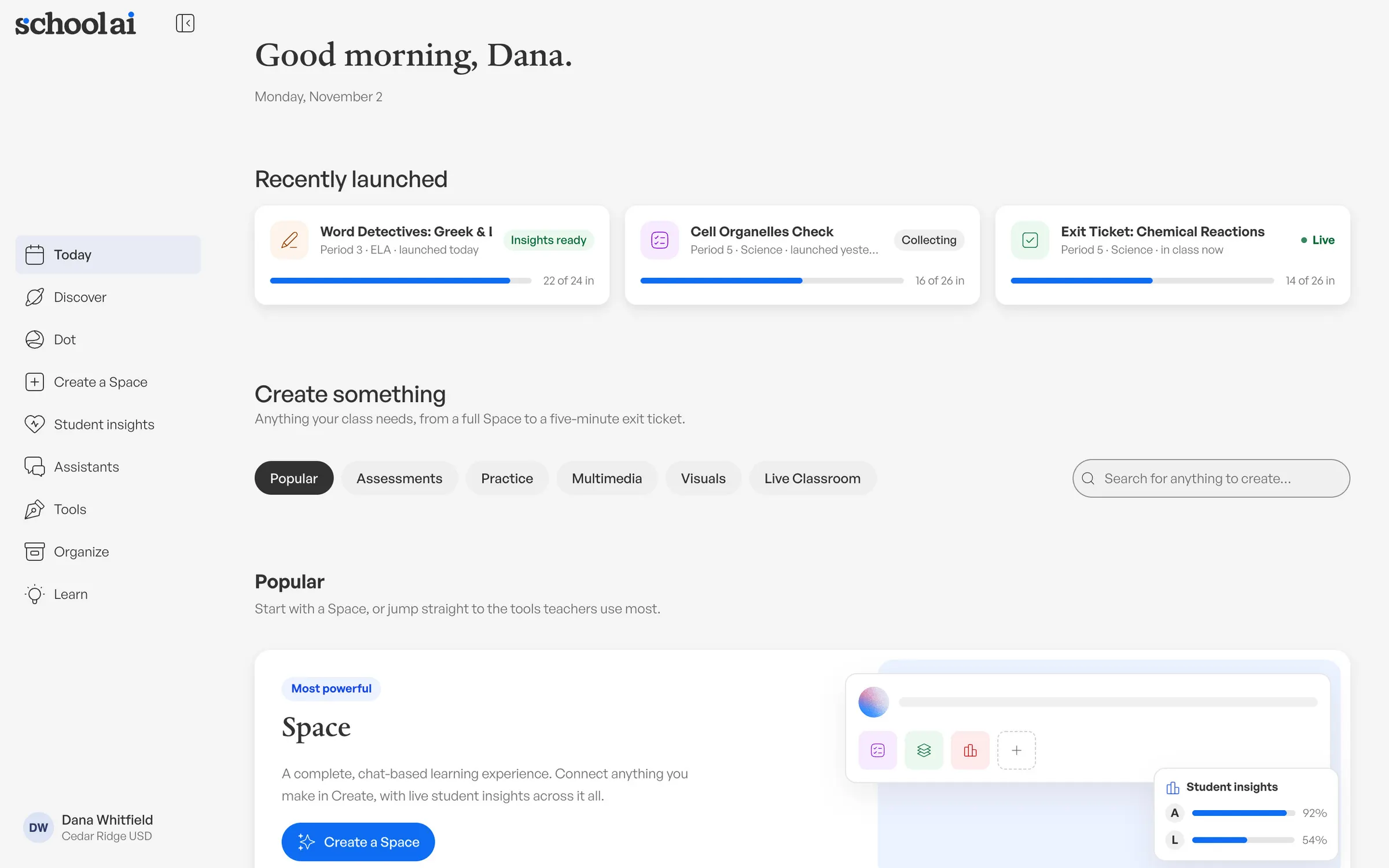
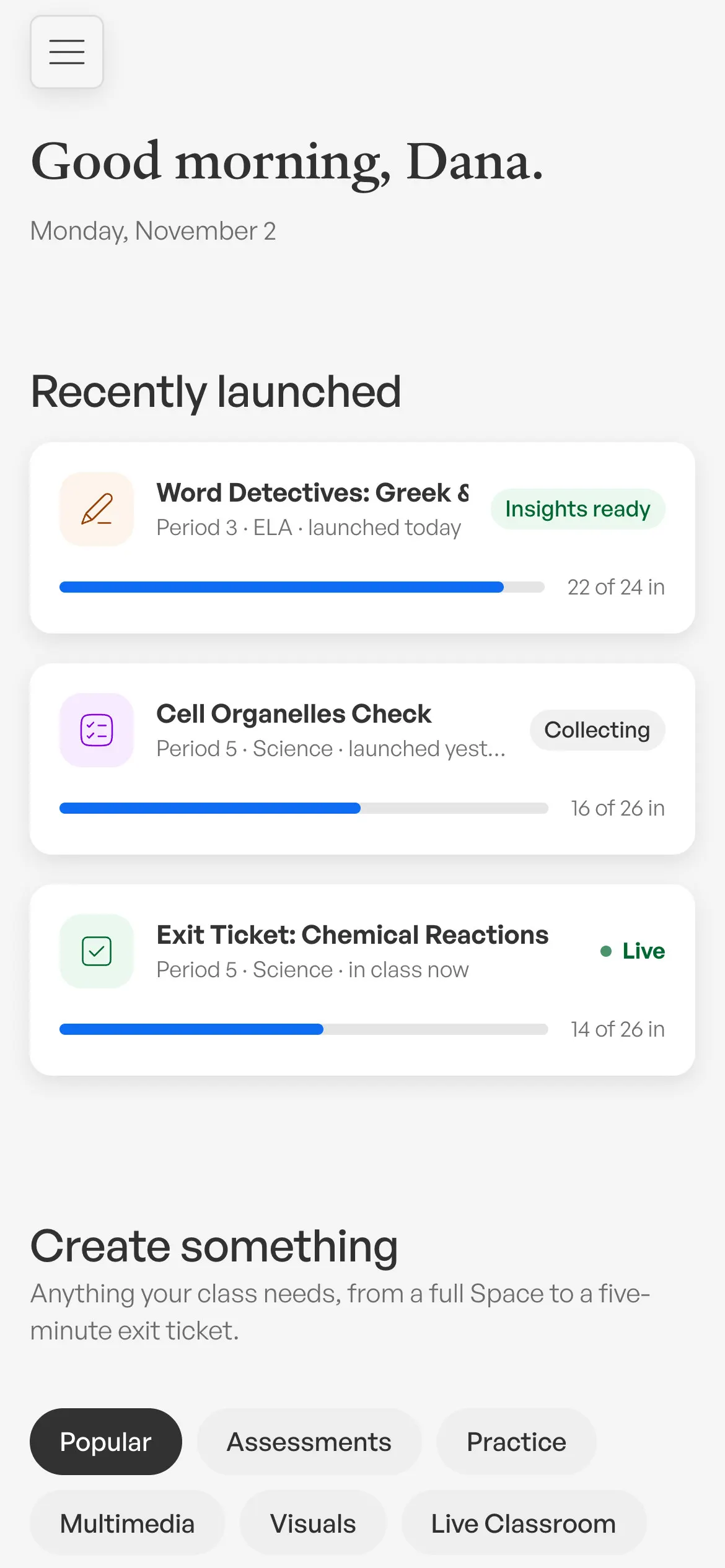
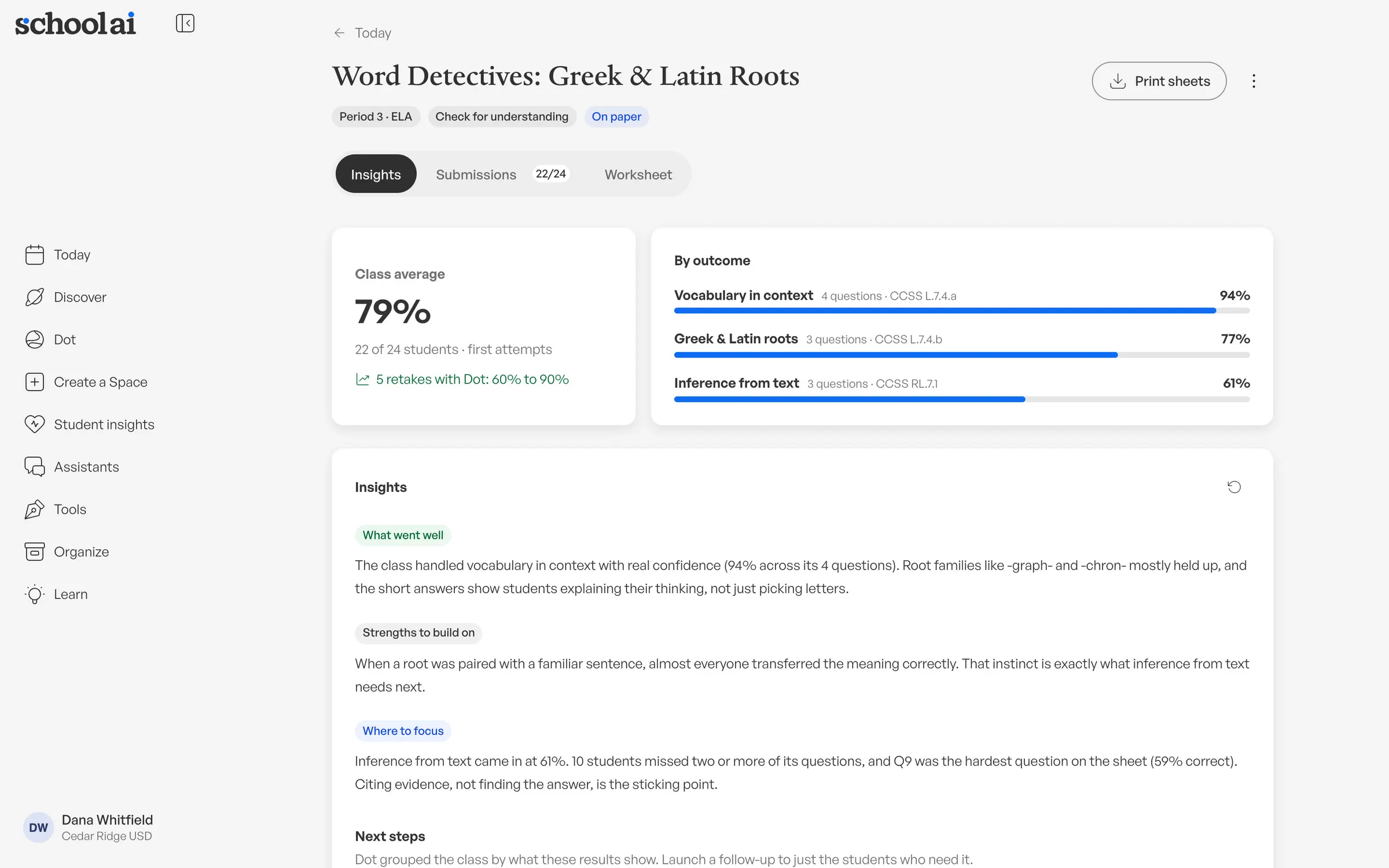
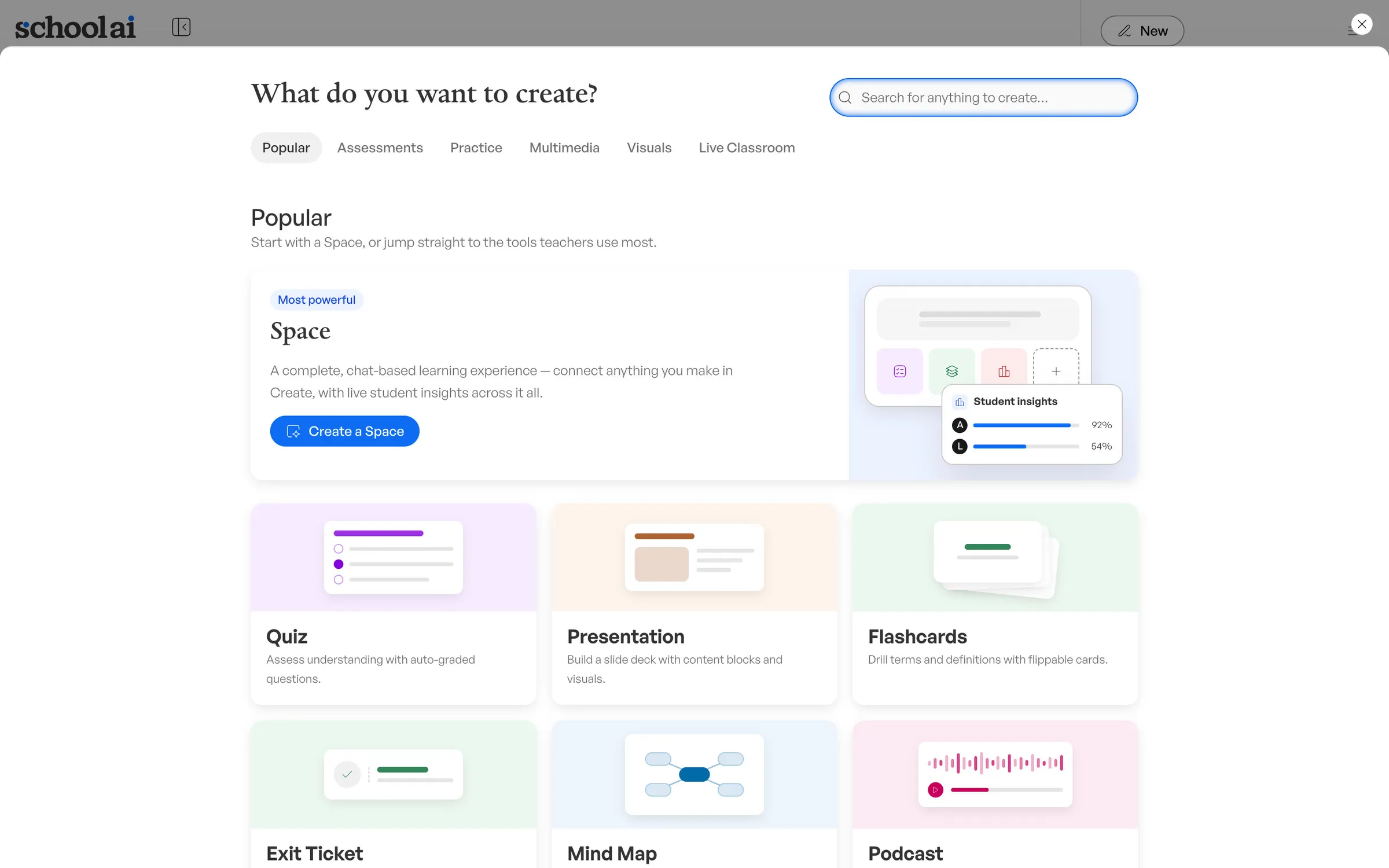
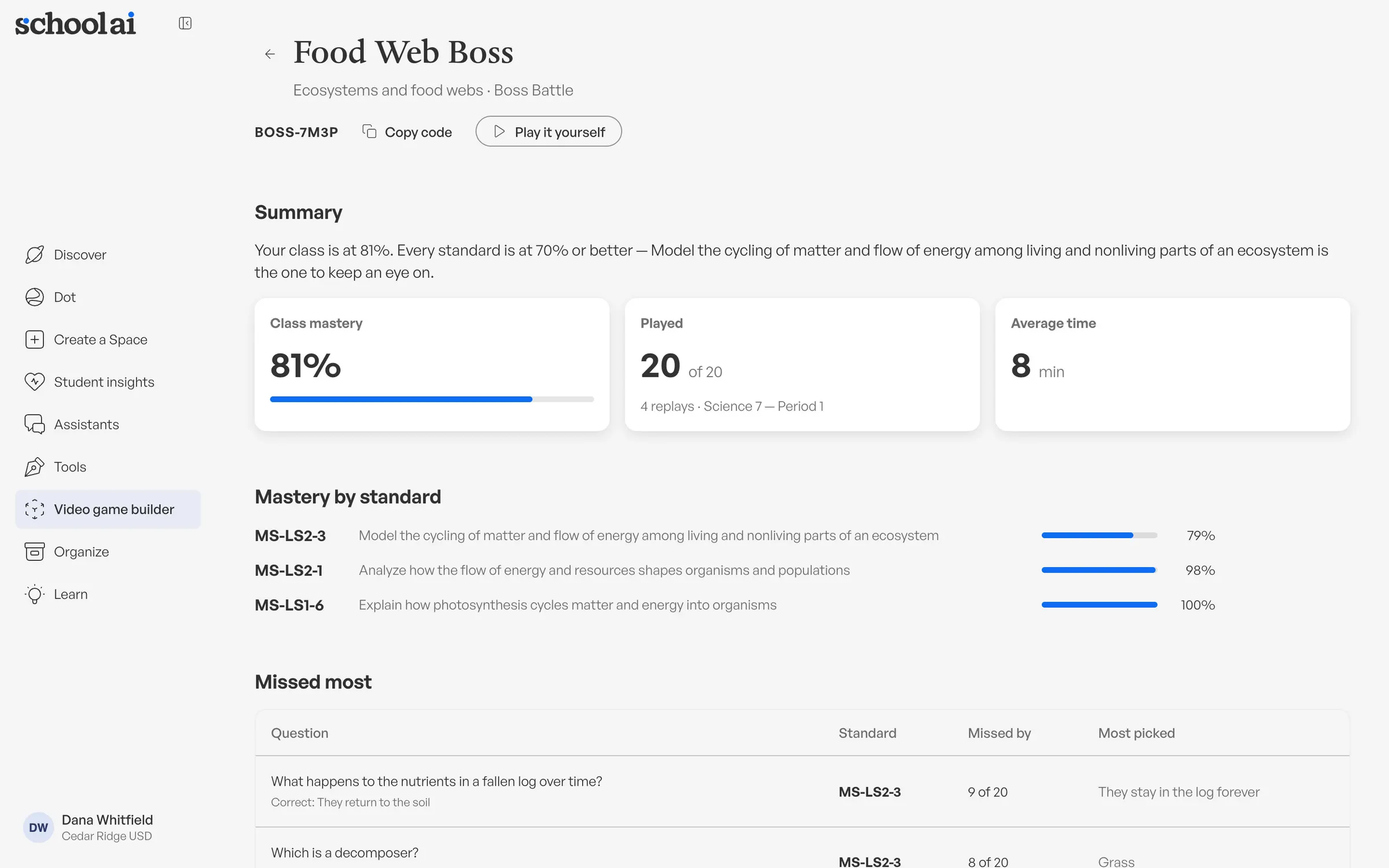
Where the design system went next: the newest product UI on @sai/ui, 2026. Today on desktop and phone, worksheet insights, the Create sheet and a review game's results by standard. Prototype screens from our design sandbox, with mock data.
Before launch, I held the product to a QA list of 80+ fixes.
A launch on a stage has a date that won't move. In the last stretch I ran a design QA list across every area of the product, more than 80 items, each with a screenshot. All interaction animations under 400 milliseconds. Radii that nest properly. One standard scrim. Icons with defined colors.
I was writing the keynote at the same time.
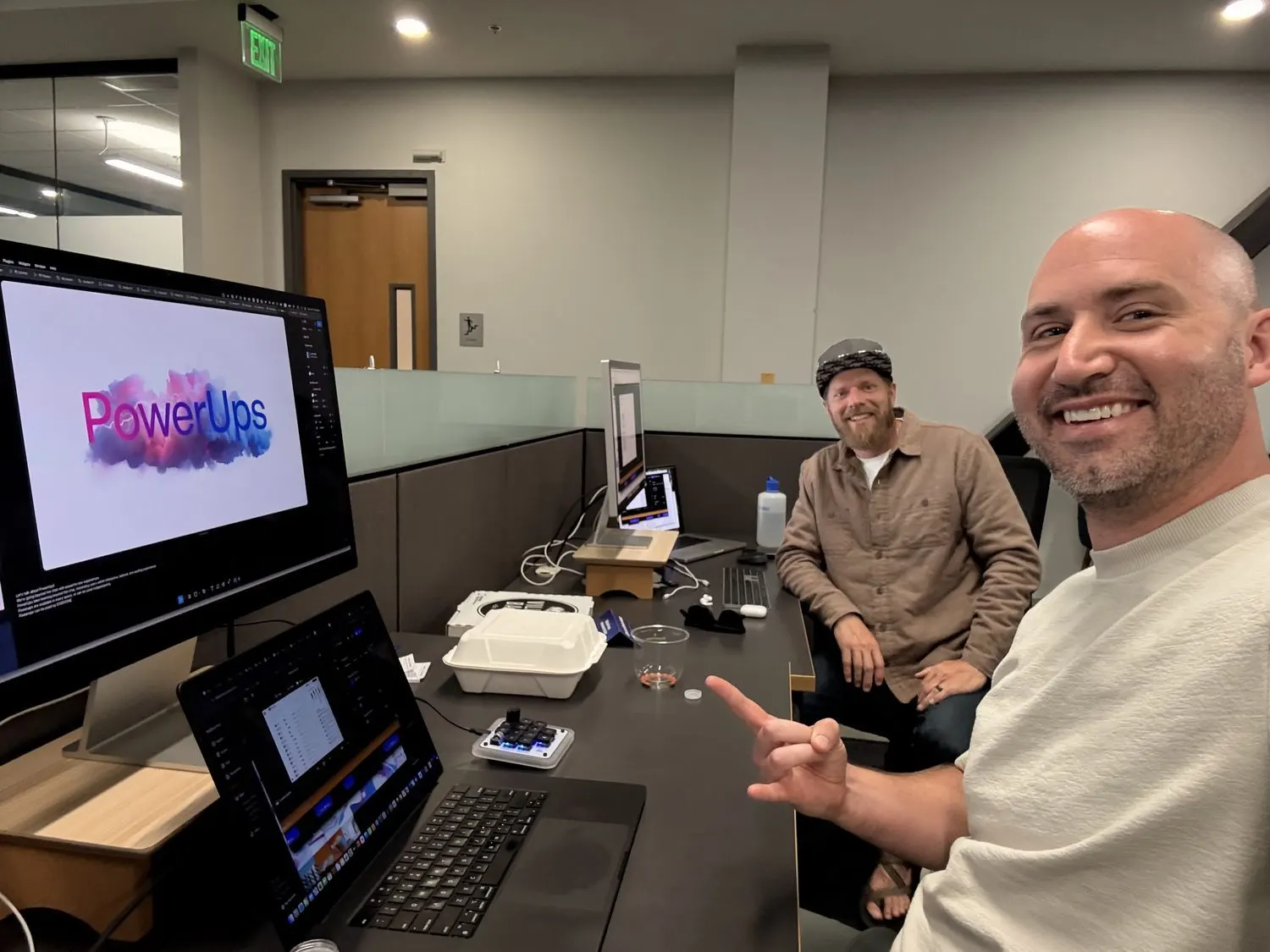
A very late night, crushing the deadline with a colleague, July 2025. That PowerUps slide is the one behind me on stage, just below.
"Is the future of learning just chat?"
That was the turn in the keynote. I wrote the 15-minute product overview and gave it at the Showcase in July 2025. I opened by playing back what teachers had told us, then walked through each new piece with demos. I saved the Chrome extension for "one more thing."
The audience was educators, so I kept it about their day. "ANYONE can make incredible Spaces." Then 30+ breakout sessions, where they could start building.
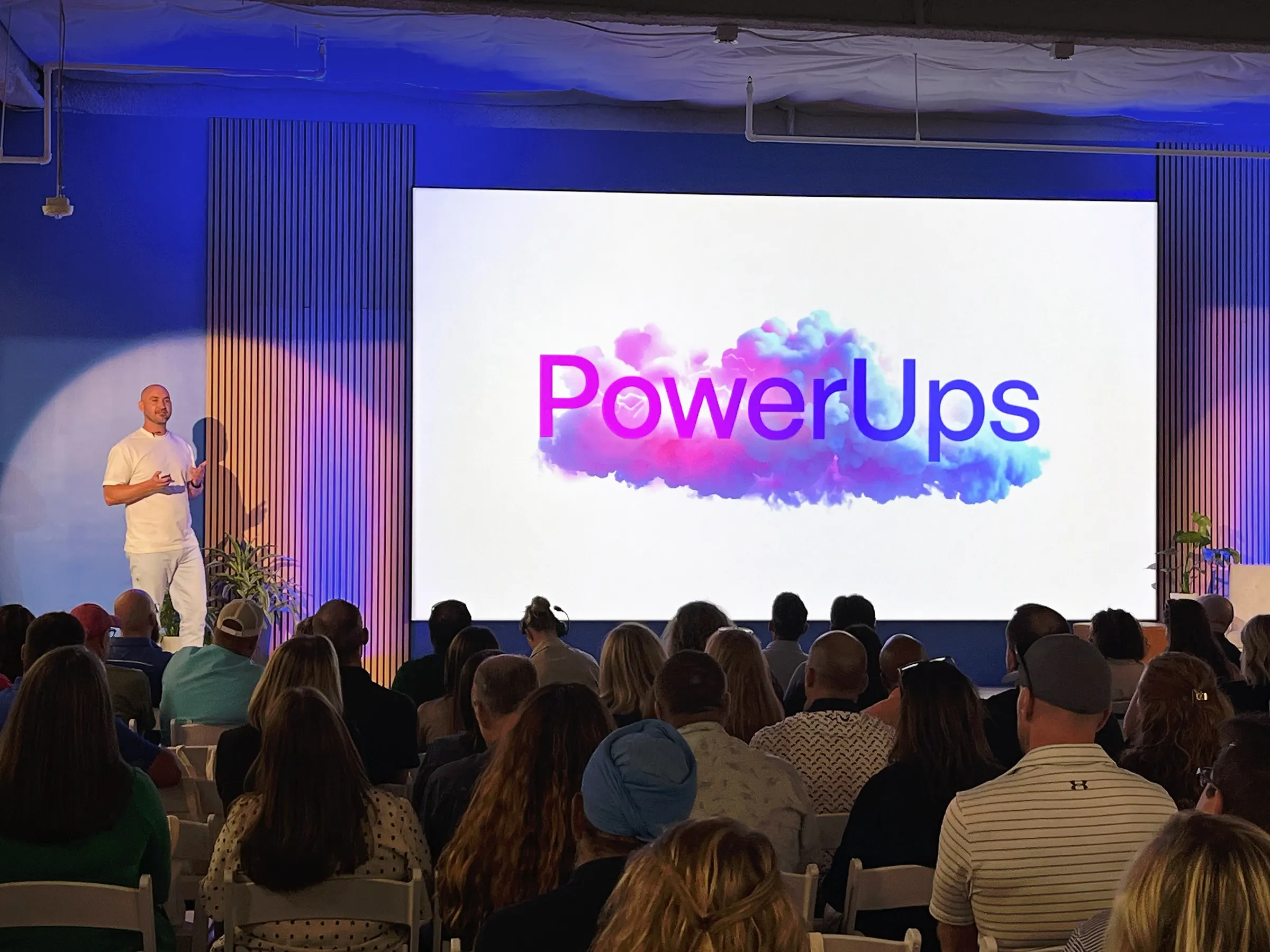
The Showcase, July 2025. I opened with what teachers had told us, then showed each new piece working.


On stage, and the PowerUp icons from the team.
- Other places I told this story
- Designing AI That Feels Human, a 35-minute talk at Front, September 2025. And Digital Learning Today, episode 71, recorded live at ISTE in summer 2025.
After launch, I set the bar at real value in 30 to 60 seconds.
A bigger platform is harder to start with. So in August 2025 I started The Great Space Race. The goal was Starter Packs for every K-12 role, about 70 of them, so a new user who picks their role sees Spaces made for their actual job. The bar I set: incredible value in 30 to 60 seconds.
We built a quality rubric, with one 1-to-7 score for the Space and another for how Dot performed in it. By early September we had 73 personas and had made over 80 Spaces in person at headquarters.
Back in schools, half the teachers we watched had never launched a Space.
I speak Mandarin, so on one visit in October 2025 I sat beside a teacher and researched the platform in Chinese, in a real school. The teacher had Dot write a fourth-grade Chinese story pack: four short tales, each with a moral. You learn things that way that you can't get from a dashboard.
That same day we watched more than 30 educators work, a year after their first training. I wrote it up for the team that same day, and it wasn't flattering.
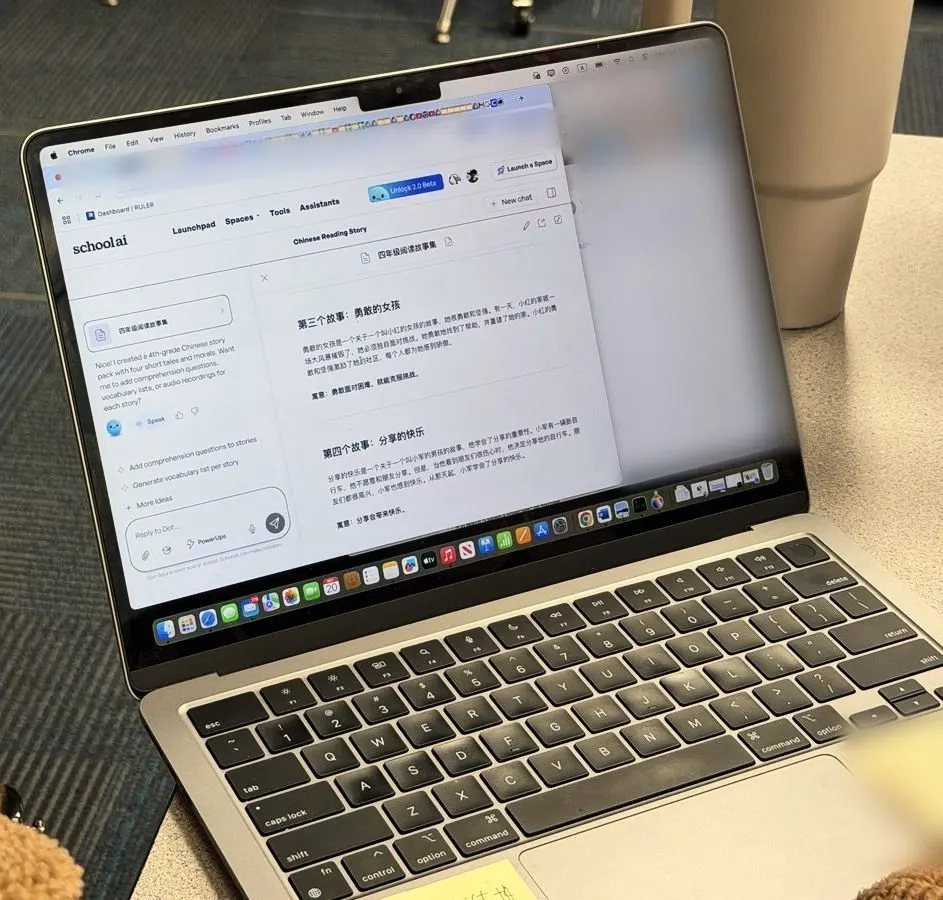
Researching in Mandarin, and watching teachers work in a school library a year after training. You can't get this from a dashboard. I blurred the private details on the laptop.
- The activation gap
- About half the teachers we watched had never launched a Space to students or seen Mission Control, our most different feature. They'd been trained a year earlier.
- Power that needed a person
- A trainer showed teachers how to download data from Mission Control, upload it to an assistant, then ask for intervention groups and a lesson plan. They loved it. Nobody outside that room would ever find it alone.
- Small things in a real room
- Late arrivals couldn't join. QR codes don't help someone on a laptop. Mission Control on a library projector, with the lights on, couldn't be read from 20 feet.
- Earlier visits
- In November 2024 we took the team into classrooms, and five different observers flagged voice recognition as our worst technical problem. A device report in April 2025 told us to design for small Chromebook screens, 1366 by 768.
- My own habit
- I've done this at every company. I worked shifts at Instawork, and you can read about it on the field research page.
I wrote the eight-week plan that took the product to WCAG 2.1 AA.
School districts need this, and it opens the door to higher ed. So I wrote and owned an eight-week plan, January 13 to March 7, 2026, that pulled in every product, design and engineering team. The goal fit in a sentence: every page and feature on the design system, fully accessible, and looking how we expect.
We reached full accessibility compliance for school districts, and published a conformance report dated March 31, 2026. Engineers did most of the building here. My job was the plan, the standard and keeping everyone moving.
- Clear the ground first
- Before day one, the plan had our engineers remove the old component library, upgrade Tailwind and list what the design system was still missing.
- Agents and checklists
- A design-system agent watched for raw HTML, class overloads and off-system components. An accessibility agent went into review. Done checklists became the standard for pull requests.
- Training
- Kickoff sessions, design principles for engineers, and a shared channel with daily feedback. The bonus goal was learning to use Claude Code as a team at full strength.
- How it was checked
- VoiceOver across Chrome, Firefox and Safari. Keyboard-only navigation. Contrast checks and accessibility tree reviews. axe scans, plus axe-core in the development pipeline. AI analysis of the live product, with expert validation of every finding.
One designer became seven, at a company that grew around us.
I started as the only designer, at about 15 people. The company reached 105, and the design team reached seven. We set up the design system, a writing guide, regular crits and the habit of going to schools. Mobbin featured our design and design system.
My team went to Config together in May 2025. If you want good taste in a fast company, you have to feed it.

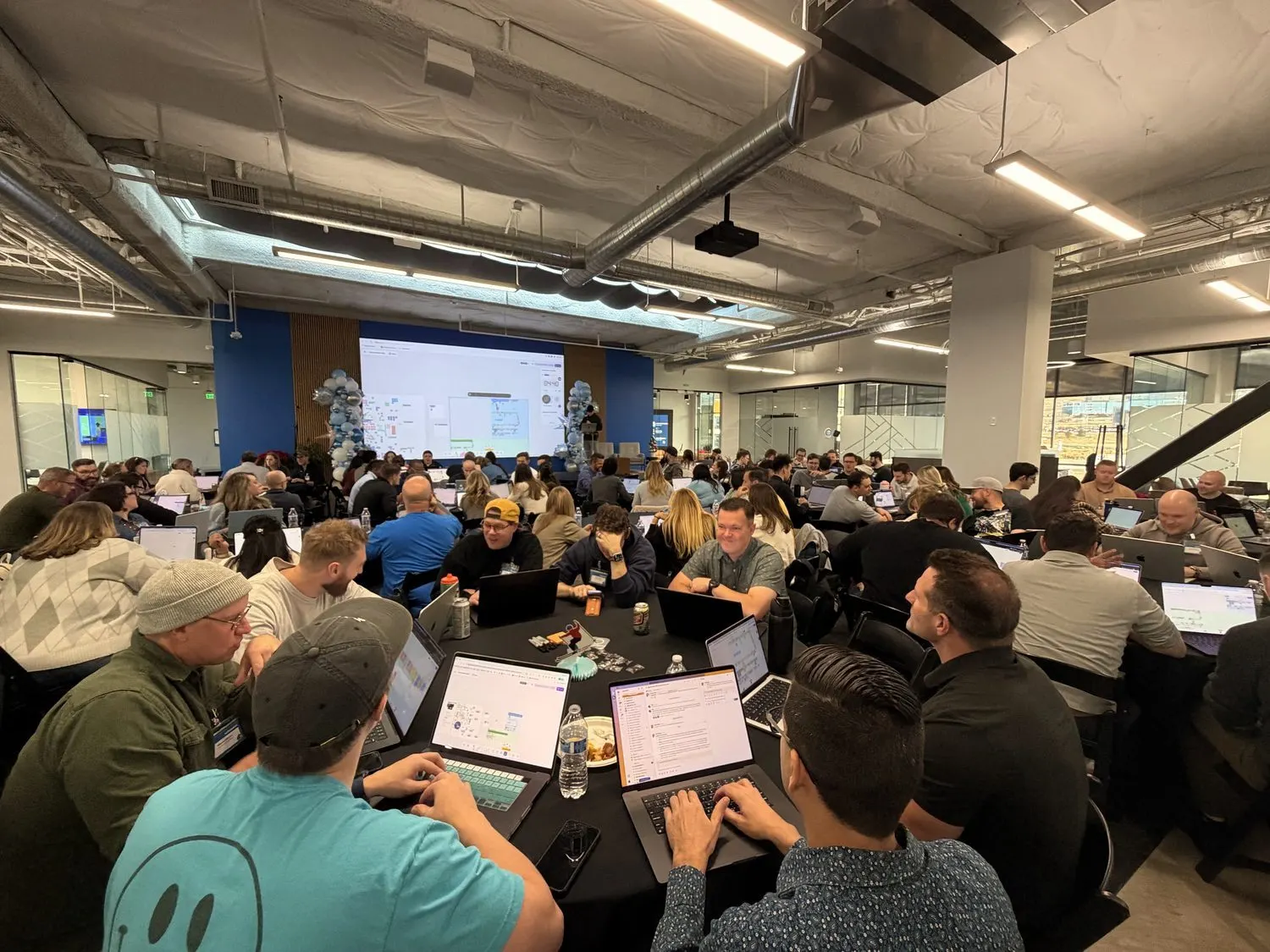
At Config with the SchoolAI design team, and the size of the room by December 2025.
I worked with the State of Utah, as the person who designed the product.
A big part of this job happened outside the product. I presented to government officials with the State of Utah, including at the Capitol in December 2025. It helps to have the person who designed the product in the room, because I can answer how it works for a teacher on a real Tuesday.
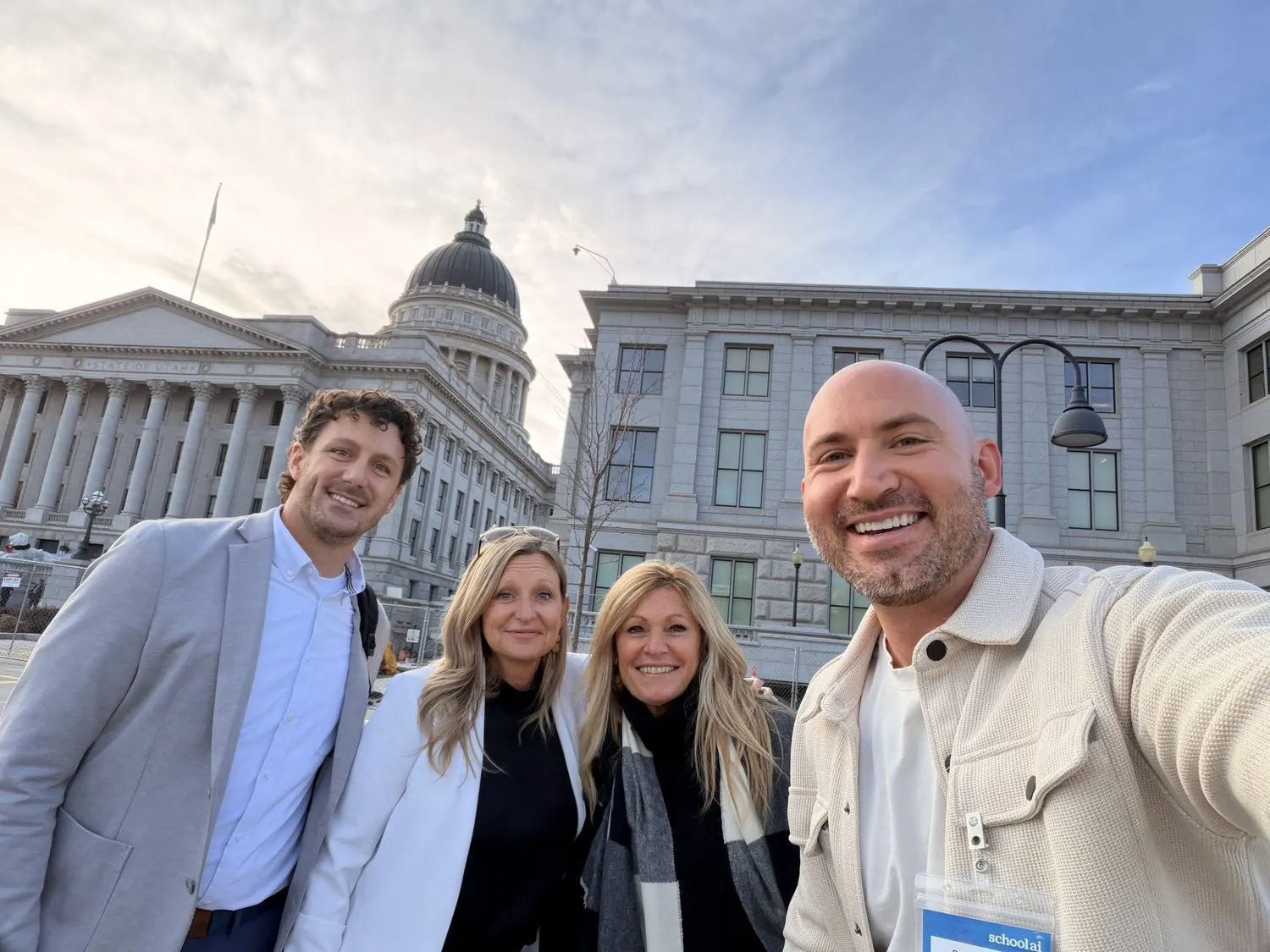
Utah Capitol, December 2025. The designer in the room can say how it works for a teacher on a real Tuesday.
I helped raise the Series A by telling the product story.
SchoolAI raised a $25M Series A with Insight Partners in April 2025. I designed the deck, ran demos, wrote the product story and pitched investors. I did the same work on later fundraising.
We tried every AI tool we could get, down to a live Abe Lincoln.
Lincoln had been in our demos since the sprint, where students interview him for a newspaper story. In August 2025 we took it further. We hired an actor, filmed him in the office against a green screen, and used HeyGen to turn that into a live avatar you could talk to, for an experimental classroom experience.
Within two days we were talking to him on a laptop and on the conference room TV, and trying him in a second setting.
That was how the team worked. We used every AI building tool we could get. In one feasibility spike, the design team brought Dot to life with Supabase and the OpenAI API on our own, in 30 minutes. We tried Figma Make and synthetic user testing too. A year later that habit became Lightspeed.
Two days from the shoot to talking with him on a laptop and the conference room TV, August 2025.
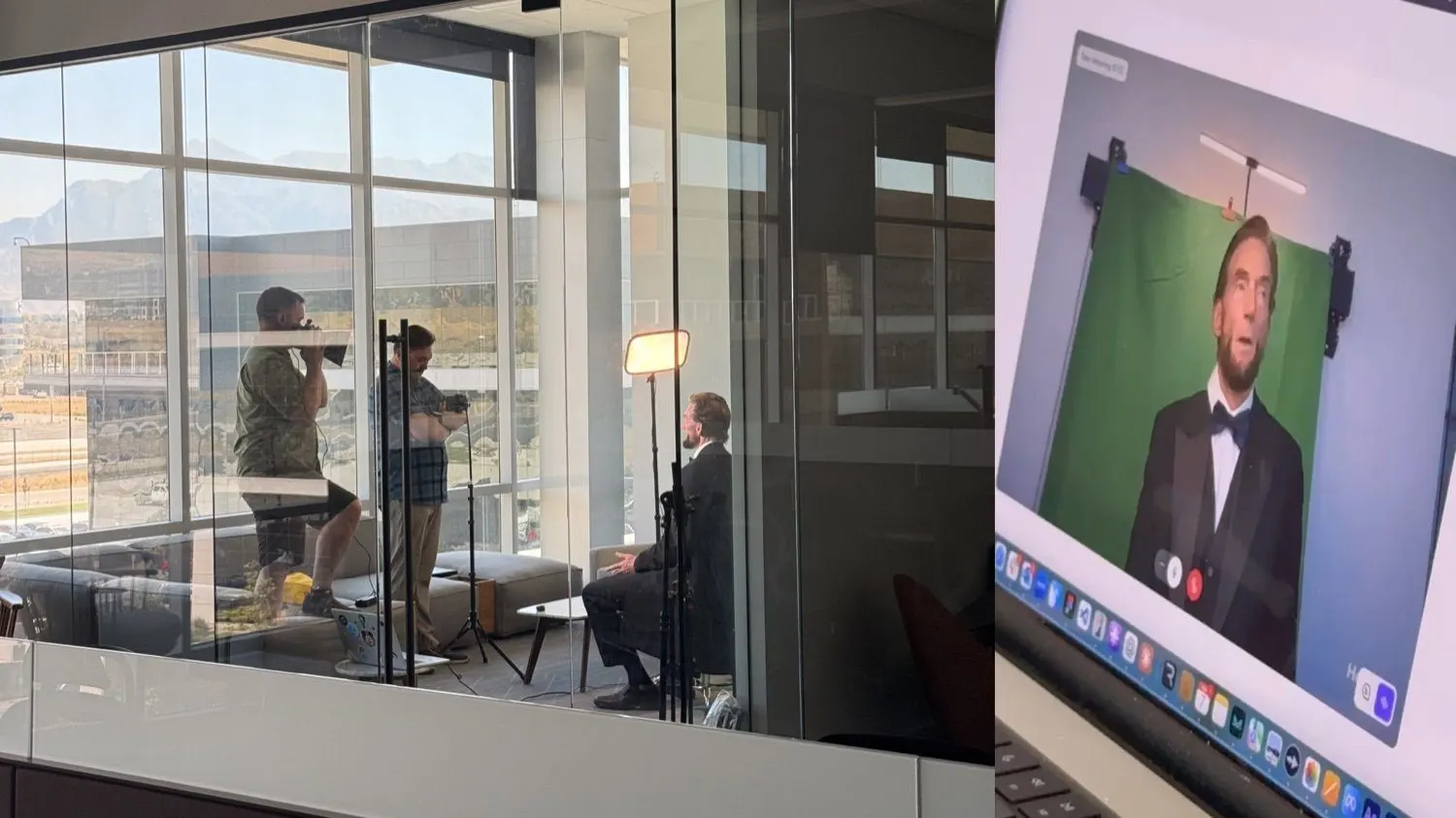
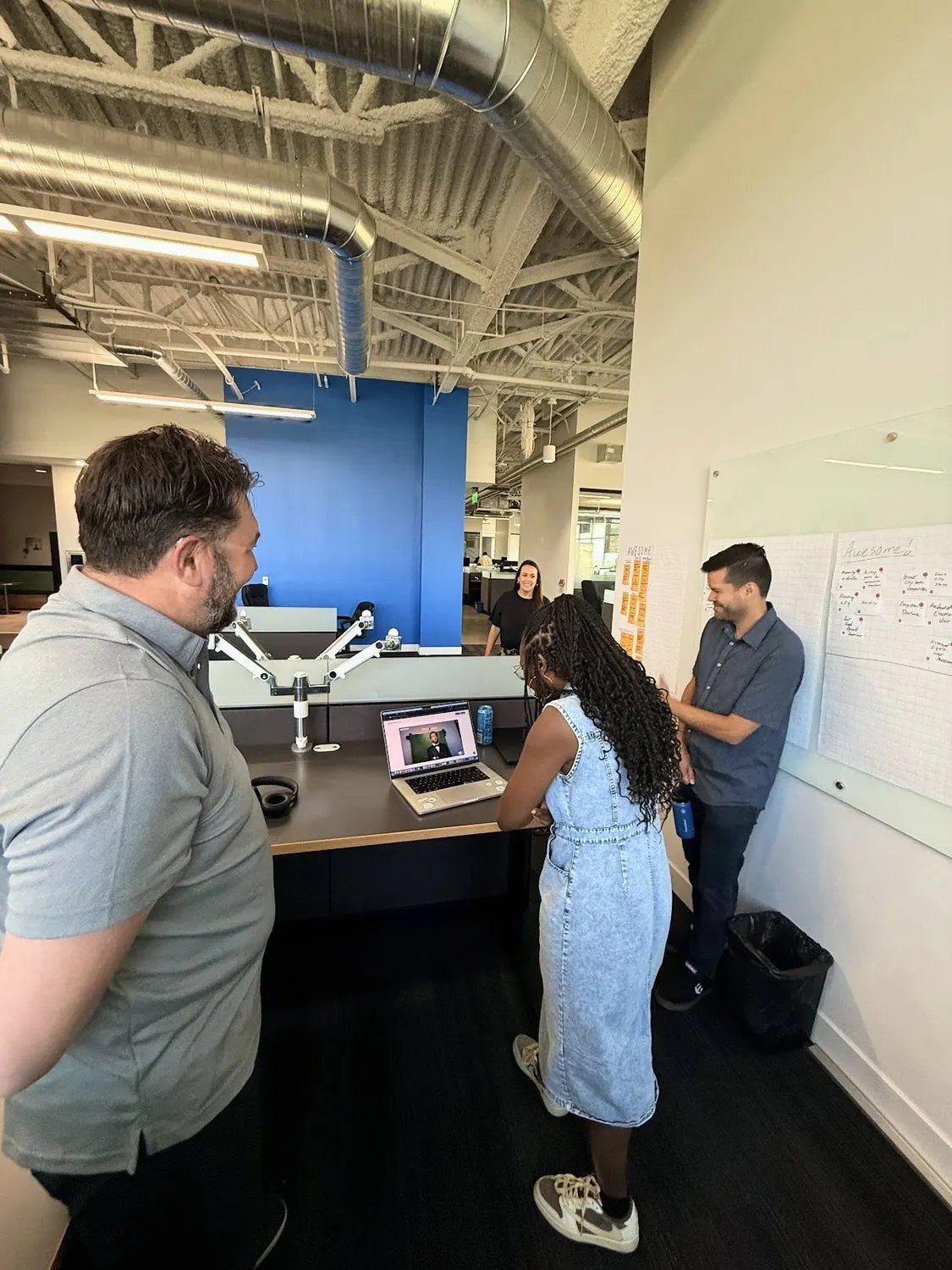
The shoot, and the team trying the result. A year later this habit of building with every AI tool became Lightspeed.
What fell short
- We missed the April 18 deadline for the clickable prototype, and I had to reorganize the finish.
- A year after training, about half the teachers we watched in one school had never launched a Space to students. We'd designed Mission Control as the hero, and many people never reached it.
- Some 1.0 users couldn't find their things in 2.0. "Where's my stuff?" came up in beta feedback, and a later Discover release, led by a PM, had to deal with it.
- Not everything was ready on stage. Remix and the Podcast Generator were still "coming soon" in my own script.
- The accessibility report isn't perfect. Resize text is marked "partially supports," and it doesn't cover beta features, user content or third-party integrations.
- I can't isolate what 2.0 did by itself. The 10x belongs to the whole company, and I'd measure a redesign's own effect better next time.
Big product changes need one clear story and someone who won't drop it.
I can run the redesign, go find out what's really happening with your customers, and stand on the stage when it's time.
Start a conversation